Overview
TBF Bulk Feedback Manager is built for one of the hardest jobs in WordPress administration: creating, populating, cleaning, and controlling large user environments without losing clarity. Instead of juggling separate tools for test users, avatars, comments, username cleanup, profile URLs, and audit trails, this plugin brings those workflows into one command center.
Installation
Download WordPress PluginUpload the plugin
Upload the tbf-bulk-feedback-manager plugin folder to your WordPress /wp-content/plugins/ directory or install it from your private distribution flow.
Activate in WordPress
Activate the plugin from the Plugins screen in WordPress. On multisite environments, ensure the intended network or site activation flow matches your operational setup.
Open TBF Bulk Manager
Use the TBF Bulk Manager admin menu to access Dashboard, User Generator, Name & Gender Editor, Comment Generator, Avatar Manager, Username Manager, and History.
Dashboard
The dashboard serves as the operational overview for the plugin. From here you can move directly into each tool, review the system at a glance, and navigate quickly between the core workflows.
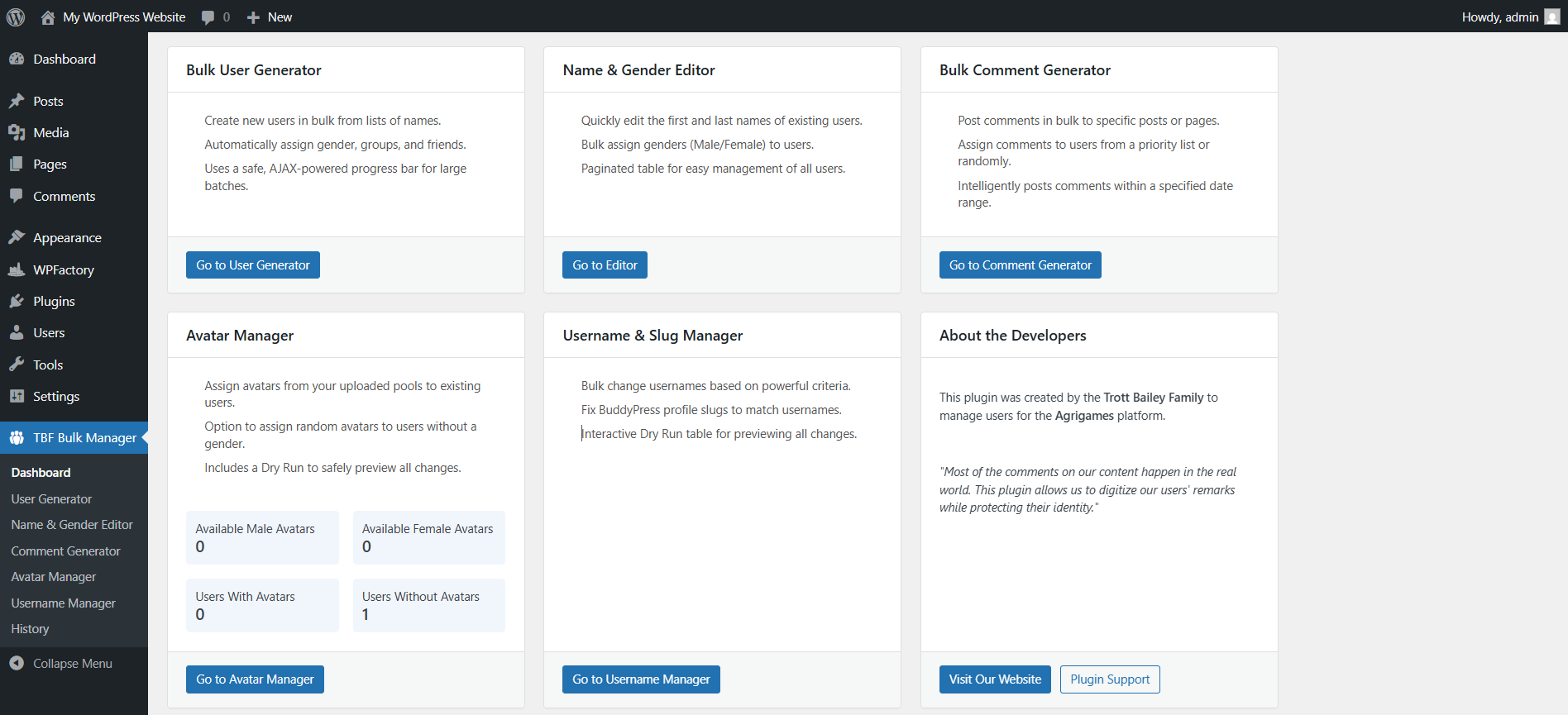
Bulk User Generator
The Bulk User Generator is designed for teams that need to create users at scale without sacrificing control. This is ideal for community launches, staging environments, demos, migrations, testing, and any workflow that requires realistic populated user data.
What it does
- Creates large volumes of users from pasted name lists
- Combines first and last names into distinct user records
- Assigns gender and avatars as part of the generation workflow
- Uses preview and confirmation steps before creation
- Returns live result tables after completion
Recommended use cases
- Preparing a new WordPress community before launch
- Creating realistic staging or demo environments
- Generating dummy user bases for design and QA testing
- Building populated member directories fast


Bulk Comment Generator
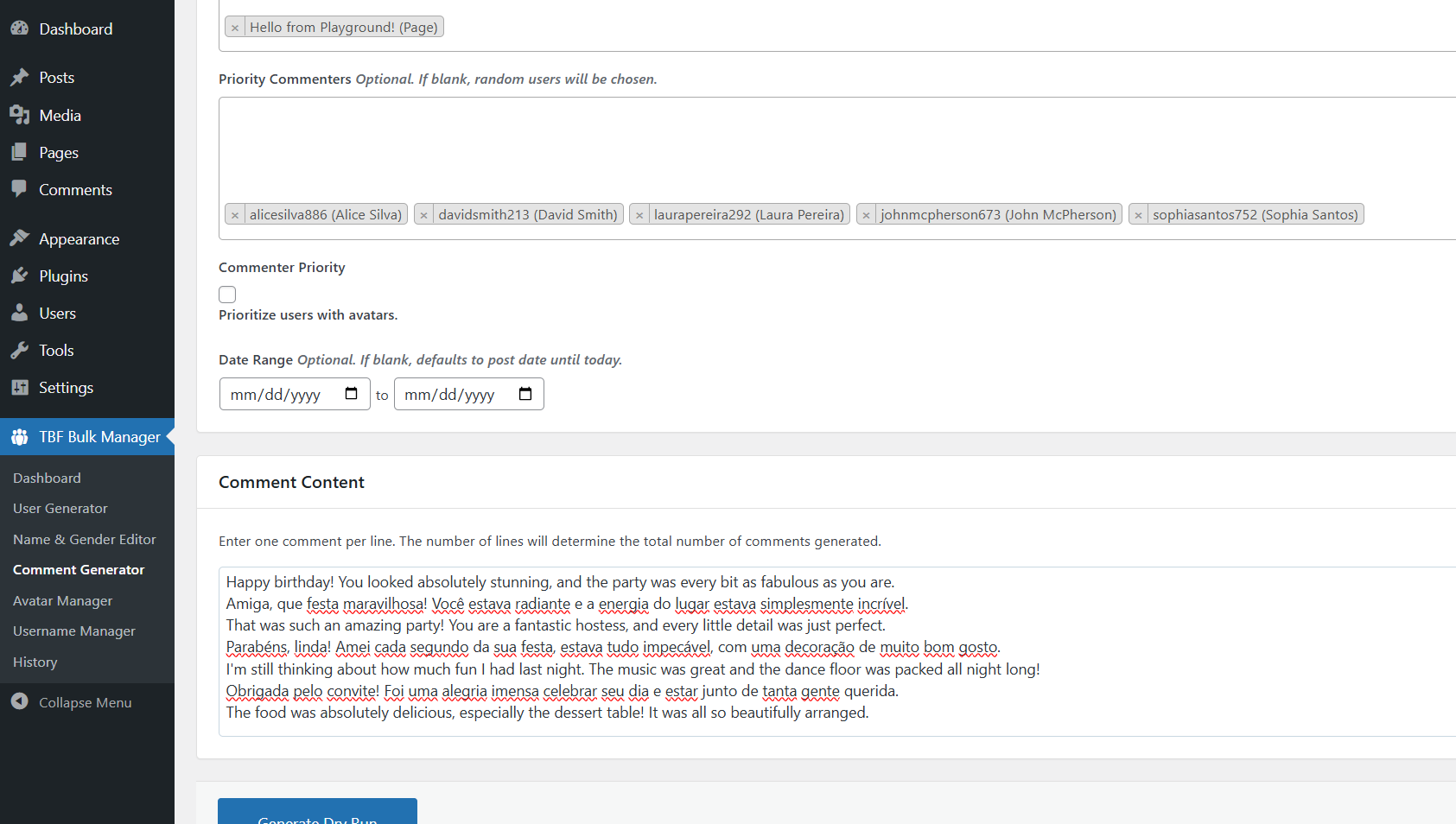
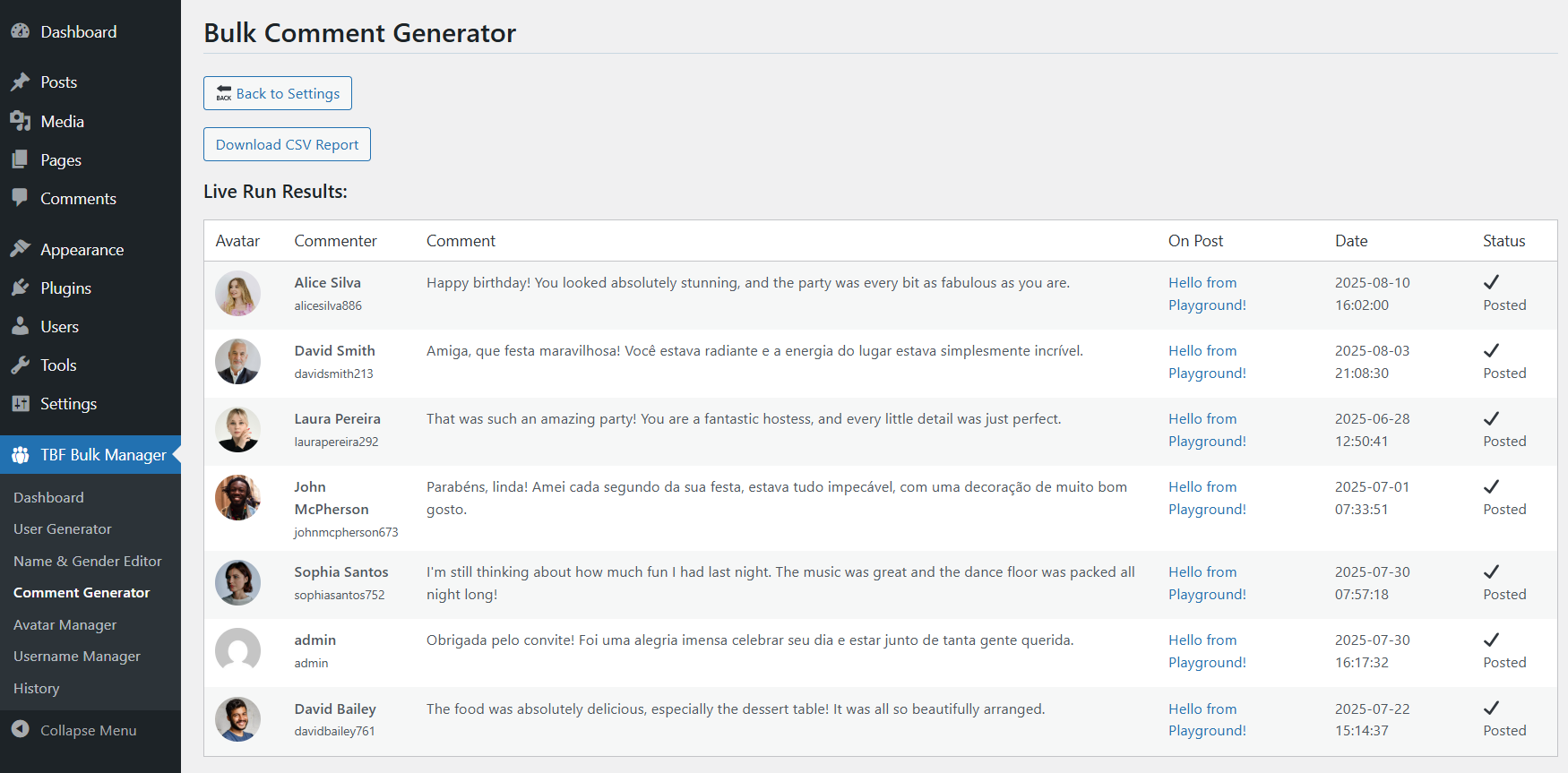
The Bulk Comment Generator gives you a structured way to seed posts with realistic engagement. Instead of posting blindly, the plugin lets you configure the target content, the commenter pool, the date range, and the comment content in advance — then inspect the full plan before it runs.
| Capability | Documentation |
|---|---|
| Target selection | Select the posts or content targets that will receive comments. |
| Commenter control | Choose which users will be used for comment generation. |
| Date control | Define the publication range for more natural-looking engagement timing. |
| Dry run review | Review comment text, avatar, commenter, target post, and planned date before posting. |
Avatar Manager
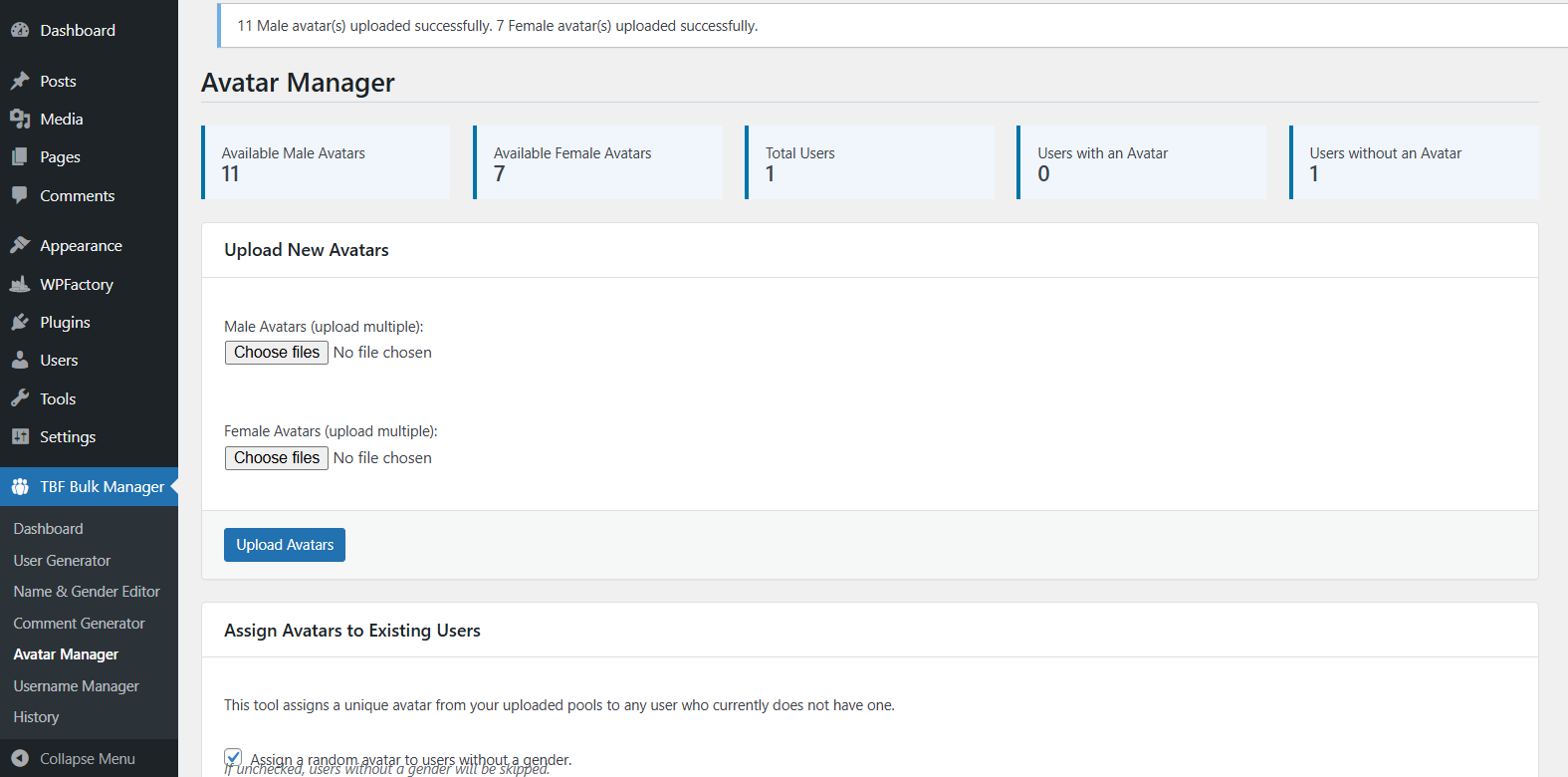
The Avatar Manager is built to make user populations feel complete. Upload and maintain avatar pools, keep the interface organized, and assign avatars in bulk only after reviewing exactly who will be updated.
Why it matters
- Improves the visual quality of user directories and communities
- Reduces the empty, low-trust look of unpopulated accounts
- Makes test and demo environments feel more realistic
Operational advantage
- Centralized avatar pool management
- Bulk assignment workflows
- Dry run visibility before changes are committed

Name & Gender Editor
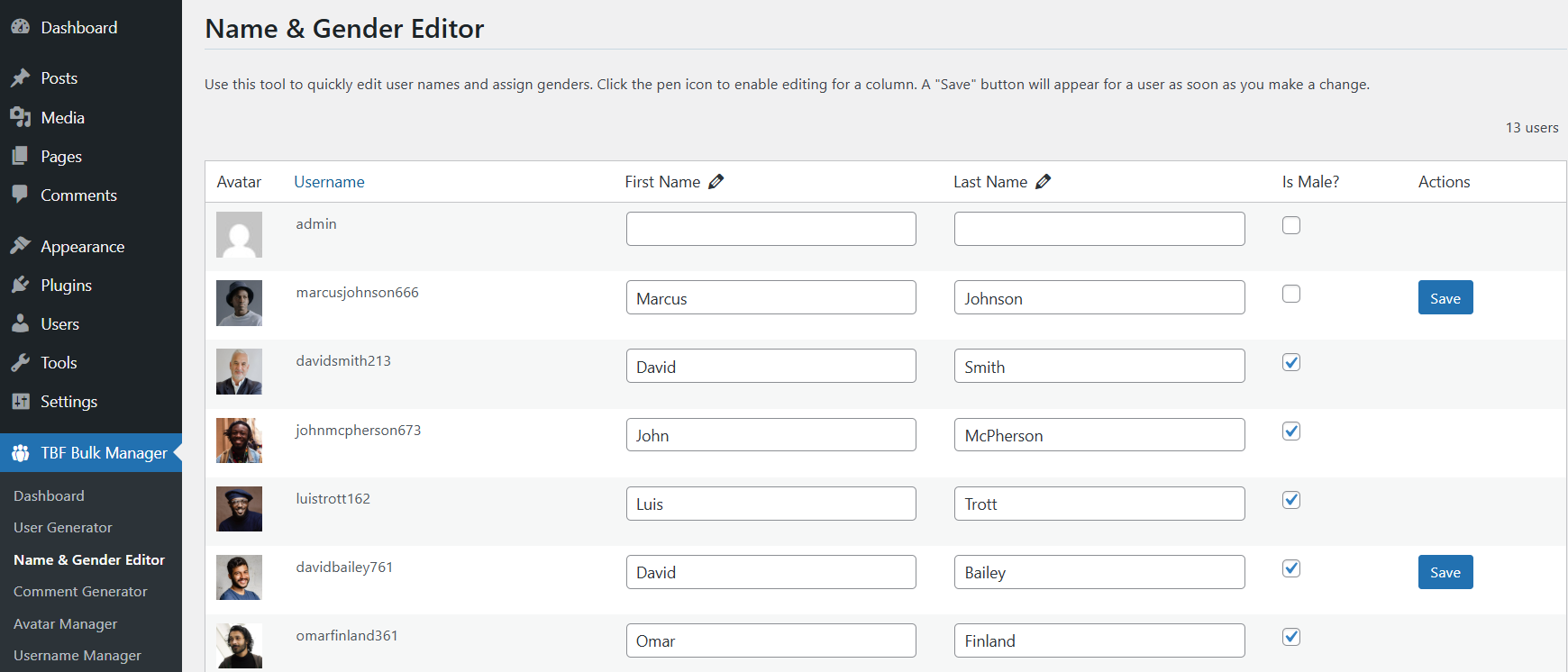
The Name & Gender Editor provides a fast admin workflow for correcting or refining user identity data. When imported data is messy or user records need improvement, this tab helps you update first name, last name, and gender information cleanly from the dashboard.
Username & Slug Manager
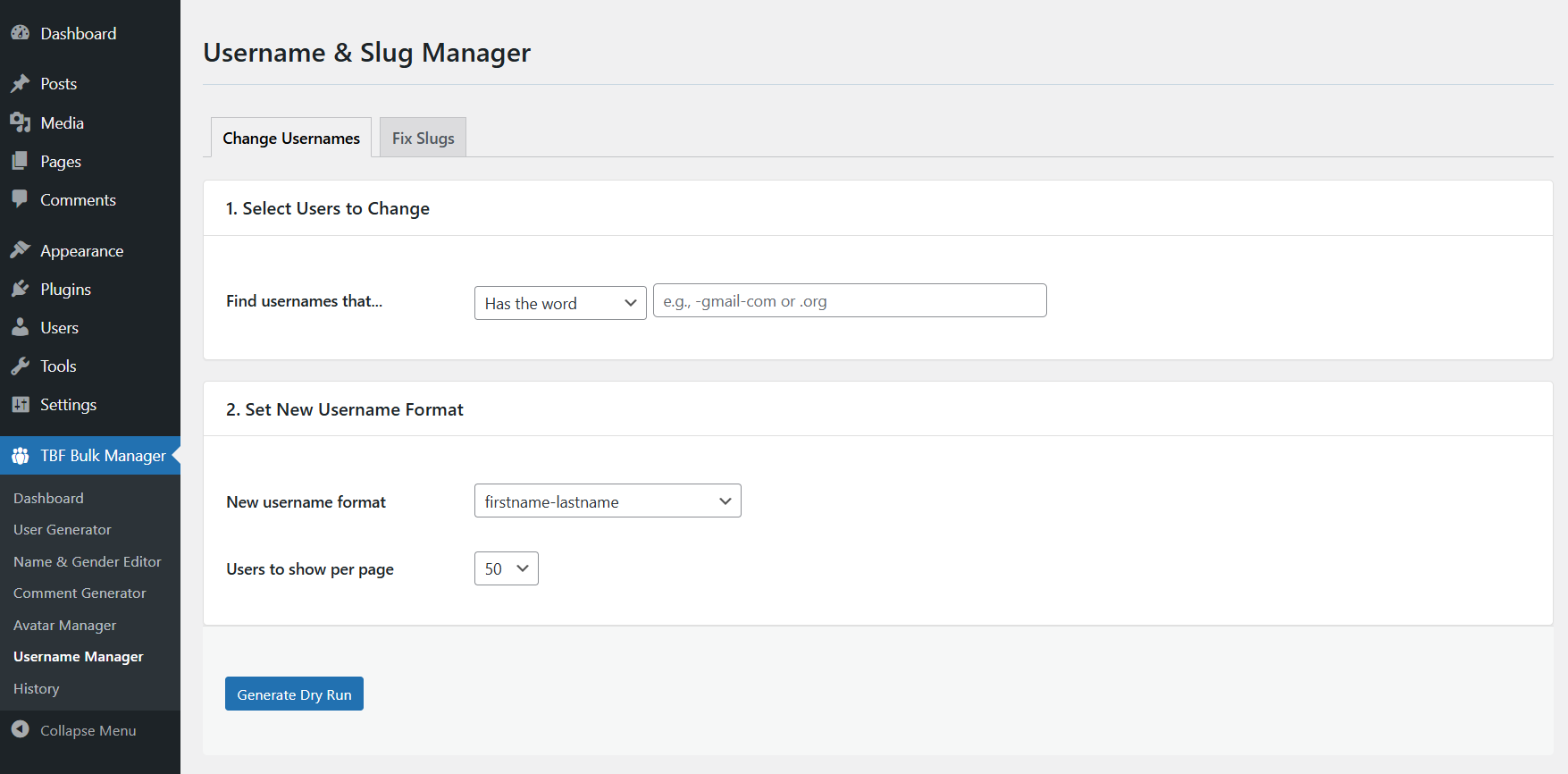
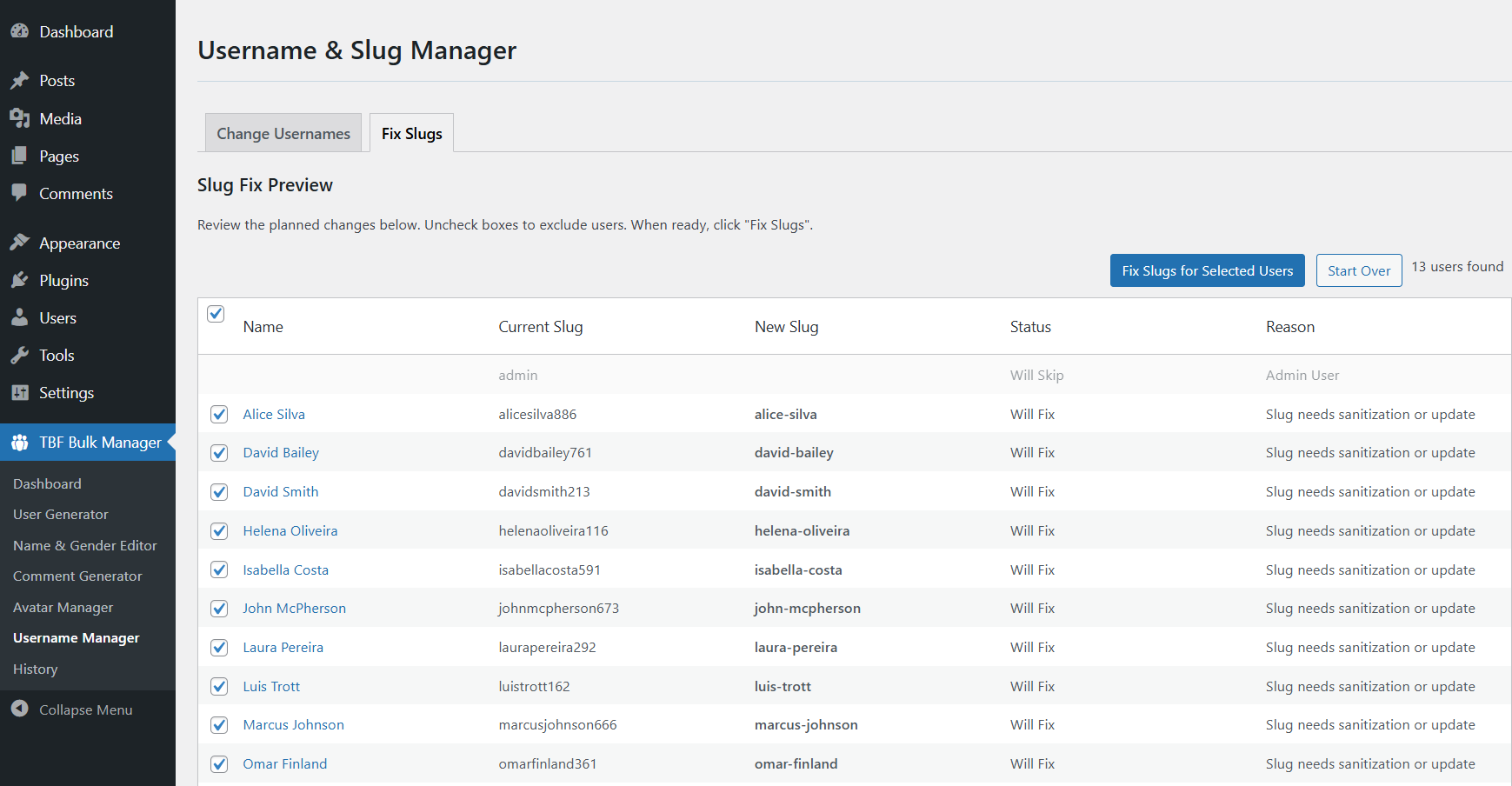
Messy usernames and inconsistent profile URLs weaken the quality of a WordPress user base. The Username Manager helps clean usernames according to selected criteria, while the slug repair workflow helps restore consistency between usernames and profile URLs.
Username cleanup
Find users based on naming patterns and standardize them into a cleaner format.
Slug repair
Scan for mismatched user slugs and prepare a correction plan for cleaner profile URLs.
SEO and consistency
Cleaner usernames and slugs contribute to stronger structure, easier management, and more consistent member profiles.
History
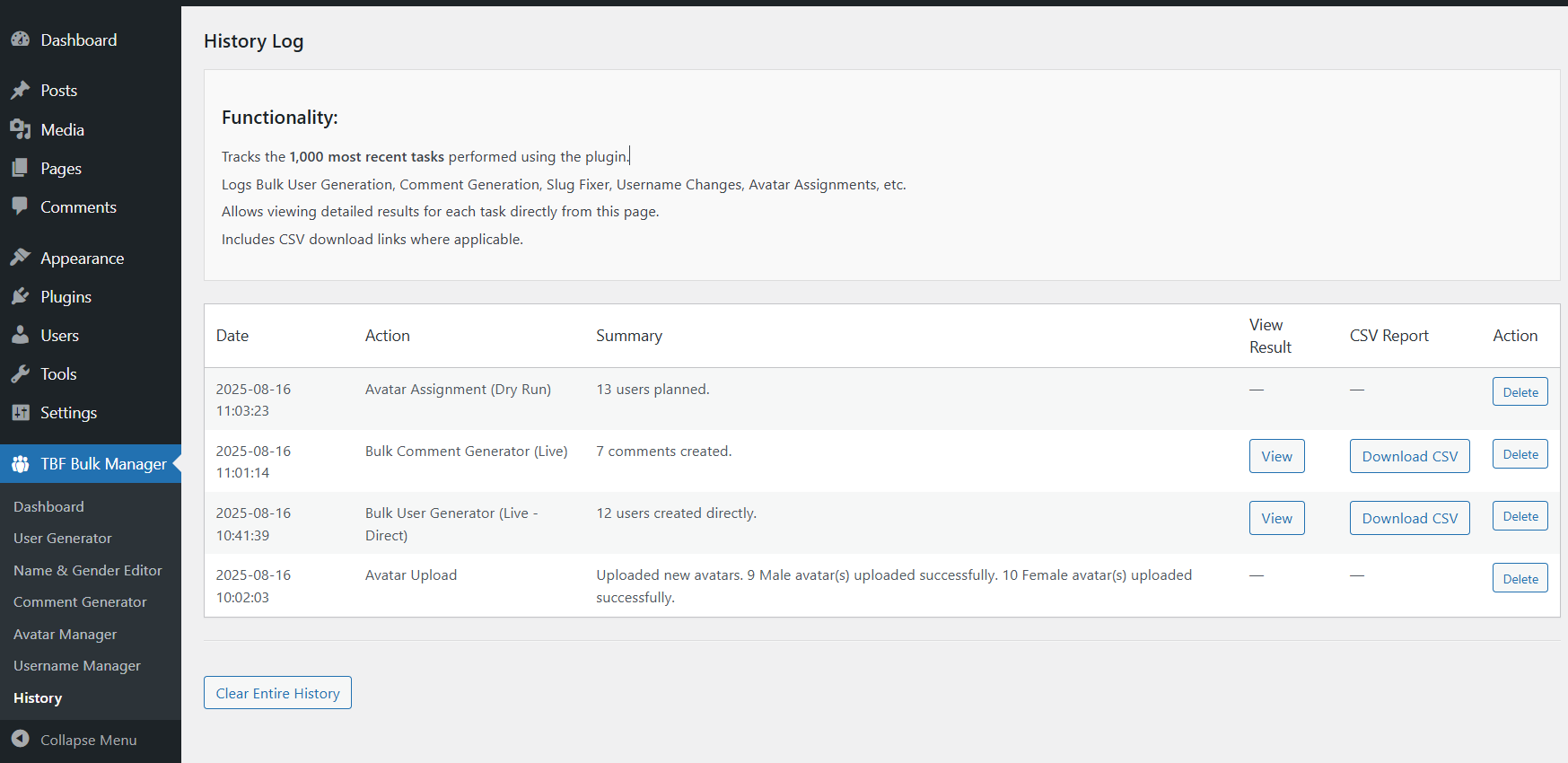
The History tab is the plugin’s transparency layer. Major actions are logged so you can review what happened, inspect details later, and access deeper task information instead of relying on memory or one-time screen messages.
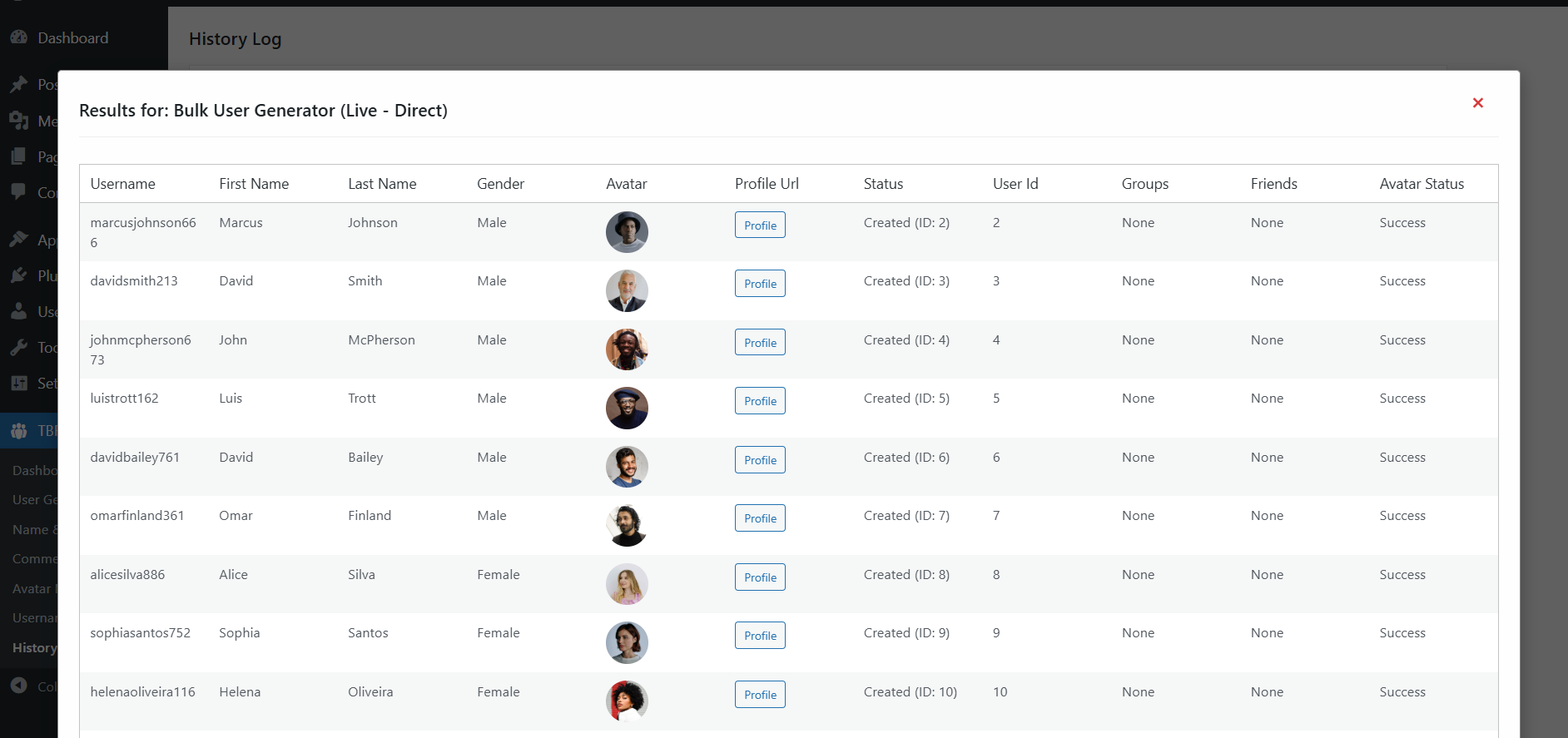
Complete Screenshot Library
Every screenshot below is part of the official TBF Bulk Feedback Manager documentation set.
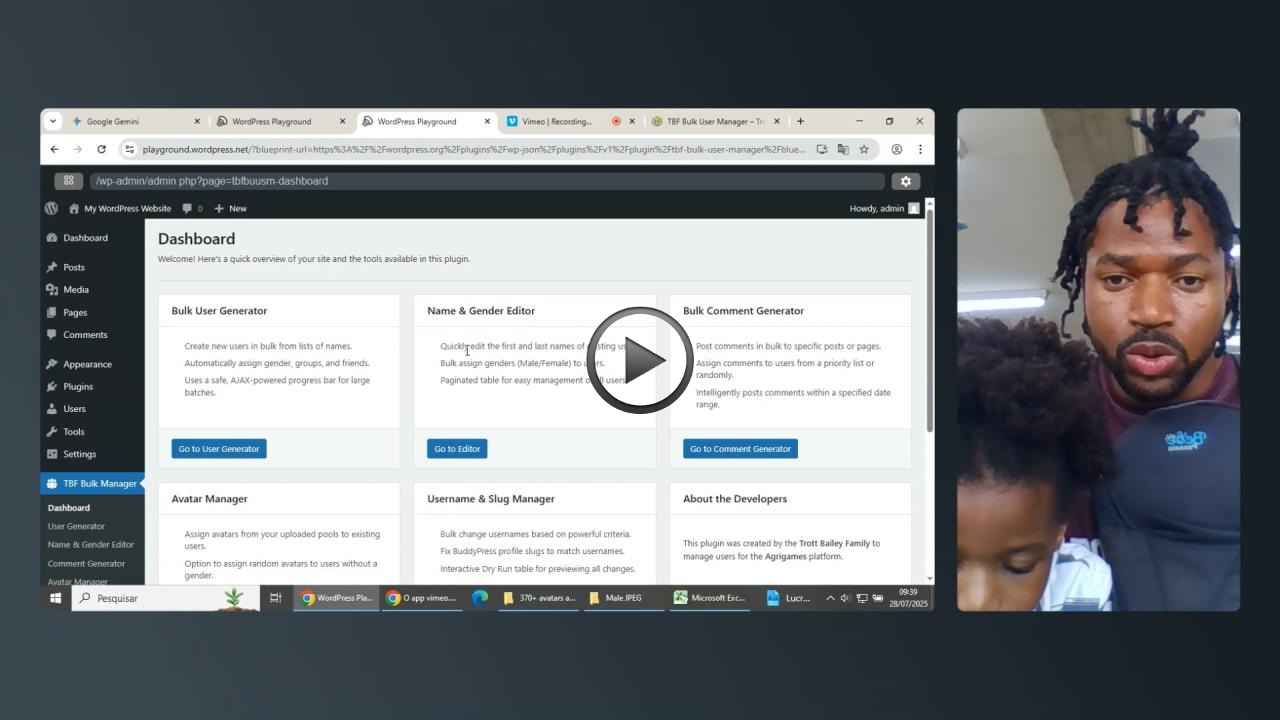
Masterclass Video Tutorial
The masterclass is the fastest way to understand the full plugin workflow from dashboard overview through bulk user generation, comment seeding, avatar operations, username cleanup, slug repair, and history tracking.
You can watch the full tutorial directly on this page and use it alongside the documentation while you configure the plugin.
Also from the Trott Bailey Family: Big King Media
TBF Big King Media is our enterprise-grade Multisite Shared Media Library plugin for WordPress network environments that need stronger media management across sites.
TBF Big King Media Plugin
Explore the Big King Media plugin for shared media workflows across multisite networks.
Big King Media Documentation
Read the official documentation for setup, usage, and enterprise workflow guidance.
Frequently Asked Questions
What is TBF Bulk Feedback Manager?
TBF Bulk Feedback Manager is a WordPress plugin for bulk user generation, avatar assignment, dummy data, comment generation, username cleanup, slug repair, and action history.
Where do I find the plugin in WordPress?
After activation, use the TBF Bulk Manager menu in the admin dashboard to access every tab.
Does the plugin support dry runs before major actions?
Yes. Major workflows are built around dry run previews so you can inspect planned changes before confirming them.
Is this plugin useful for BuddyPress, membership, or multisite environments?
Yes. It is especially strong for high-volume WordPress environments where population, cleanup, and administrative control matter.
Can I use this plugin for both launch readiness and cleanup?
Yes. It serves both sides: building populated environments fast and cleaning messy user data later.

 and then