Browse media across subsites
Use a shared media experience to search and filter assets without manually visiting each subsite library.
Big King Media gives WordPress Multisite a practical shared media workflow: browse network media, search across subsites, reuse assets, set featured images, build galleries, and reduce repetitive uploads from one media operating layer.
Instead of forcing every subsite to behave like a separate media island, Big King Media adds a network-aware access layer over WordPress media. Your team can discover media faster, publish with less repetition, and keep large multisite archives easier to govern.
Multisite is powerful for running many WordPress sites from one network. But media can still become fragmented: one image on one subsite, another copy somewhere else, videos buried in a different library, featured images trapped in the wrong place, and editors switching screens just to find one asset.
That creates media debt. The larger the network becomes, the more time gets wasted on repeated uploads, scattered metadata, hard-to-find assets, duplicate files, and inconsistent publishing workflows.
Big King Media’s multisite promise: keep WordPress Multisite flexible, but give media a shared access layer so teams can discover, reuse, govern, and publish media across the network with far less repetition.
A useful multisite shared media library is not only a “pick media from another site” button. It should help with discovery, indexing, governance, presentation, featured images, and scale.
Use a shared media experience to search and filter assets without manually visiting each subsite library.
Make cross-site reuse more practical so the same media does not need to be manually uploaded again and again.
Support featured-image and publishing workflows that reach beyond the current subsite’s isolated library.
Use indexing and network controls to make heavy media libraries easier to search, govern, and operate.
Use Photofall, lightbox, shortcodes, and media cards so shared media becomes publishable, not just stored.
Use network settings, scope controls, override settings, visibility tools, folders, and media-management workflows.
These screenshots show the multisite shared-media workflow: discovery, dashboard control, indexing, scope settings, frontend upload, management, lightbox, and shortcode deployment.

Network-wide discovery, filtering, and subsite-aware browsing inside the media workflow.

A central command area for managing how the shared library behaves across the network.

AJAX-powered indexing designed to scan and organize media across subsites.
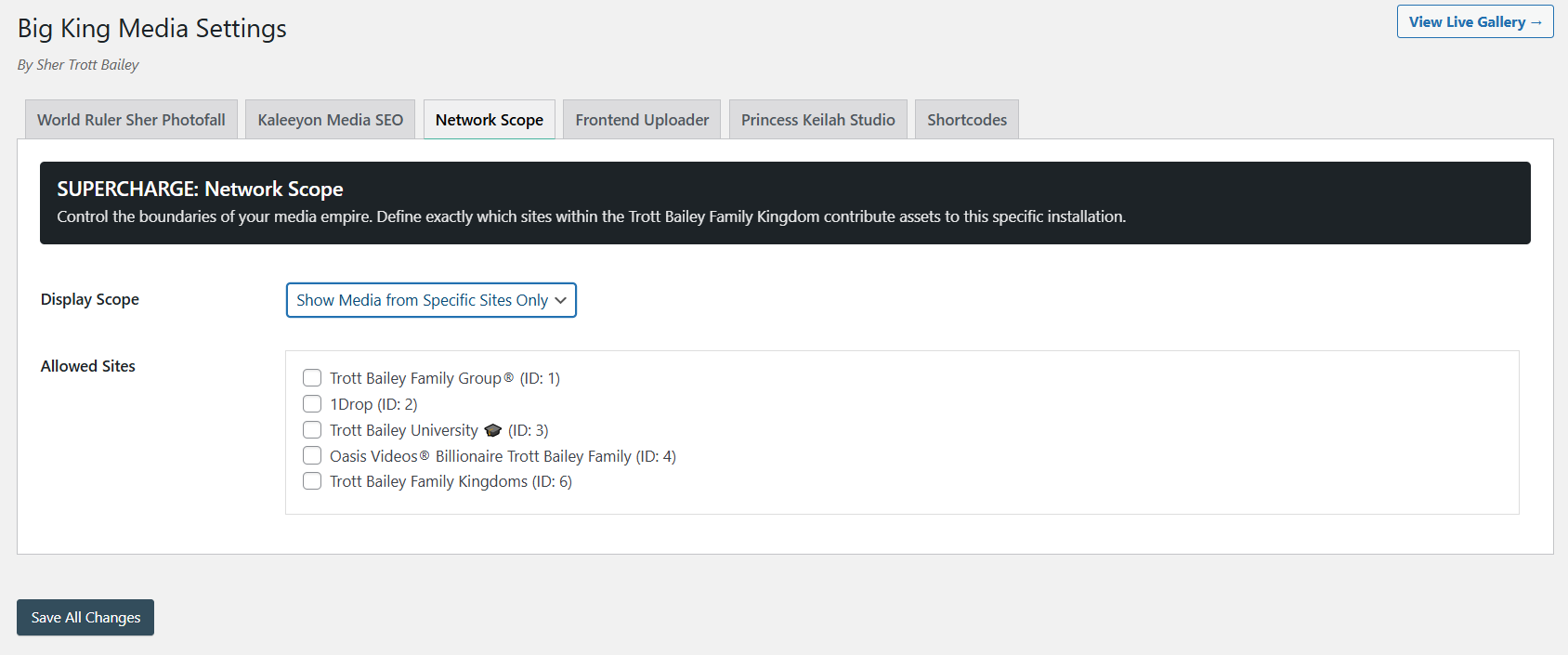
Control indexing, permissions, source behavior, and network-level media rules.

Centralize governance when the network needs stronger consistency across subsites.
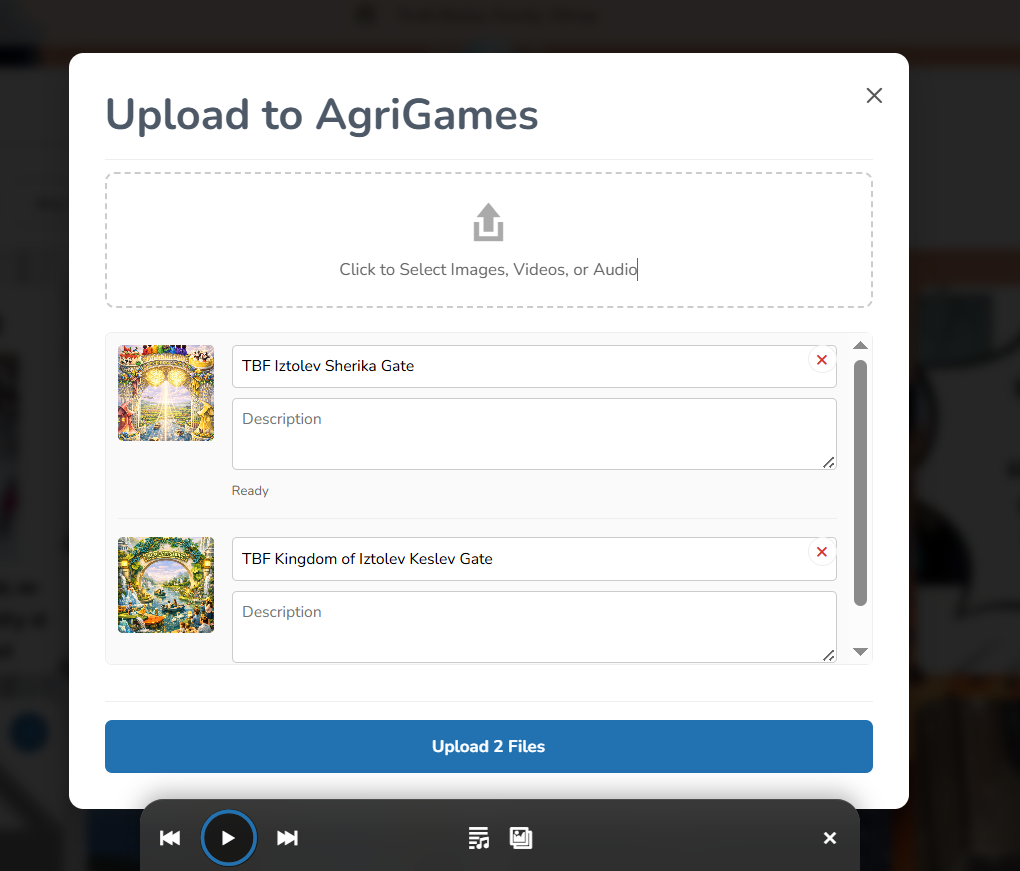
Upload into the shared media workflow and capture title and alt text more directly.
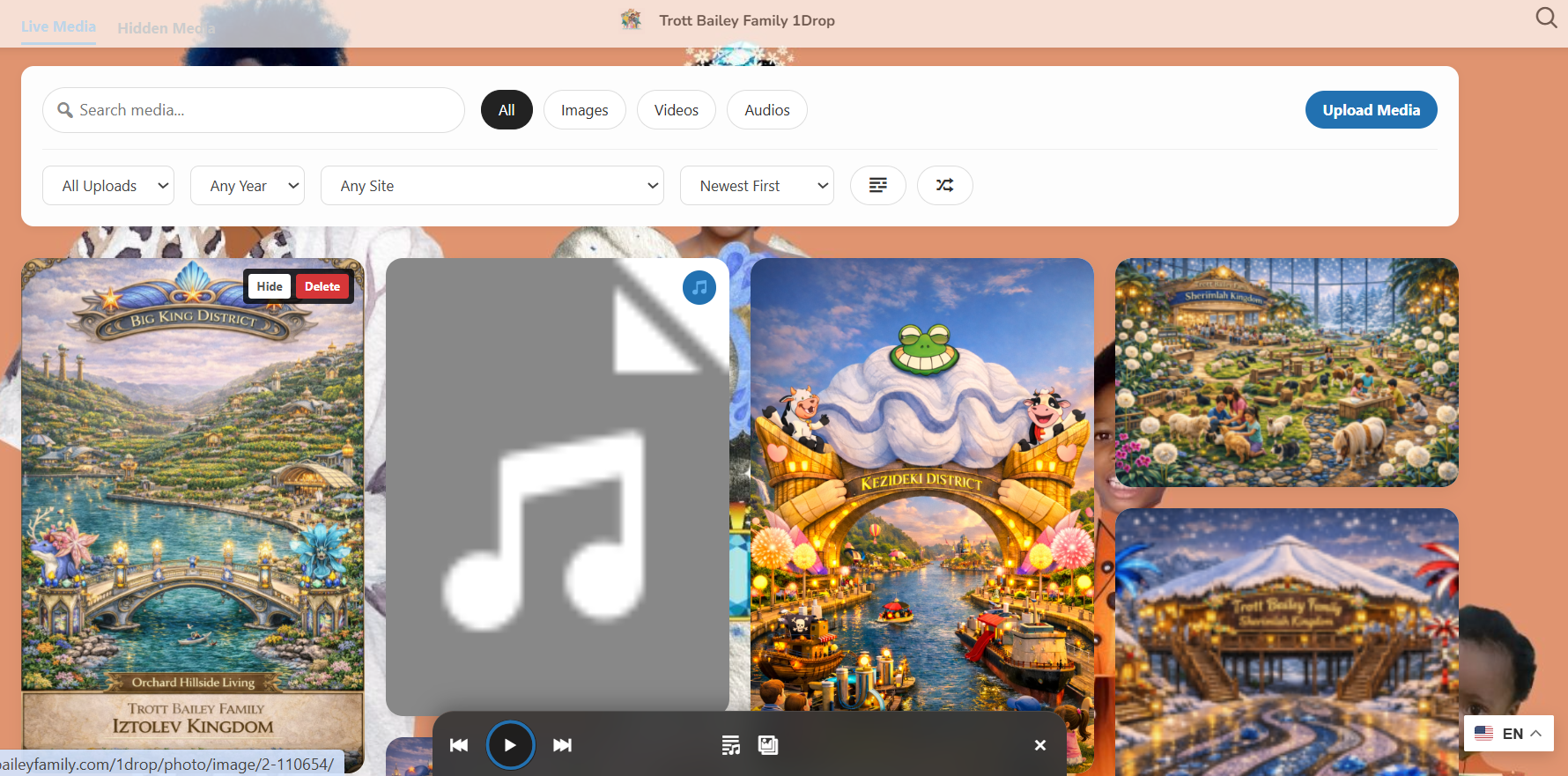
Authorized users can manage media visibility and cleanup without living inside wp-admin.
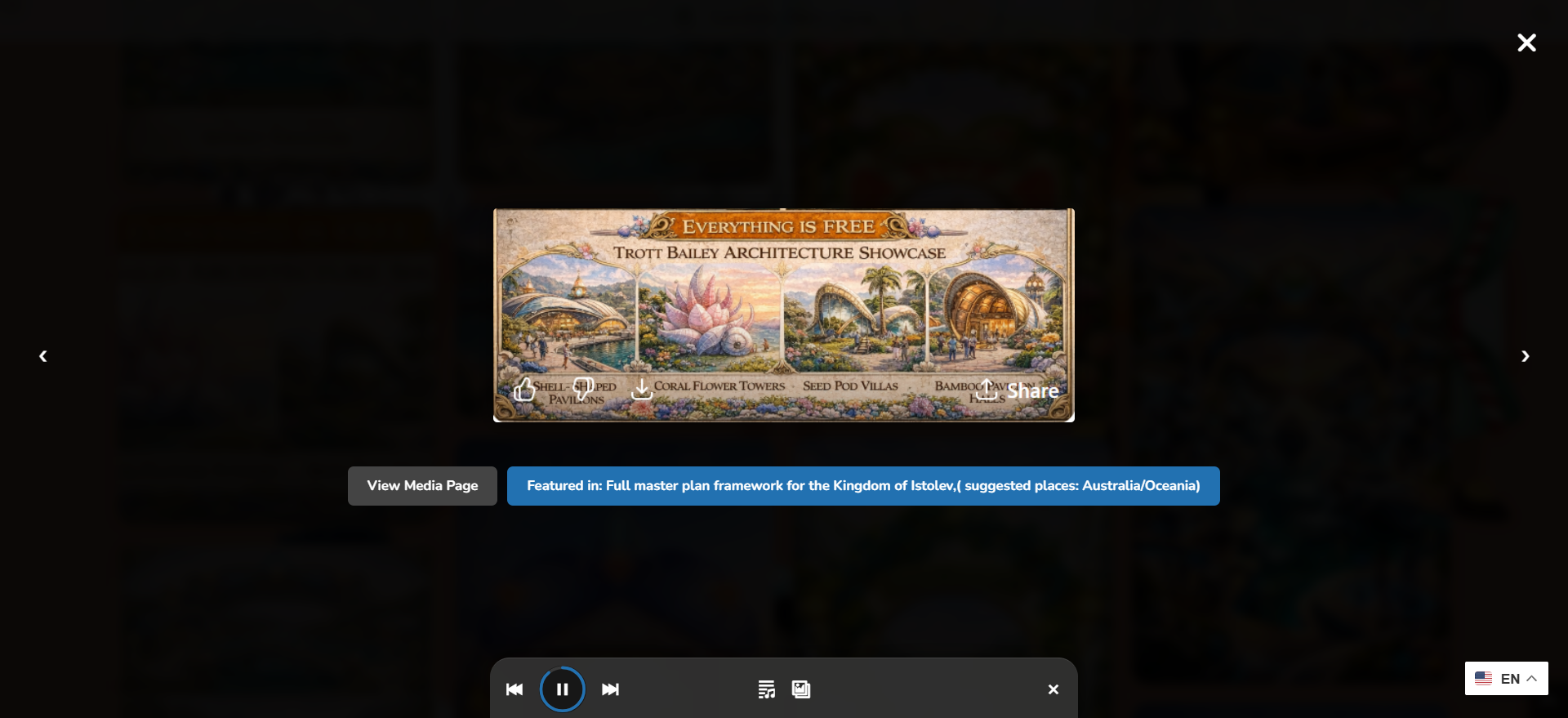
Shared media can open into a polished image, audio, or video viewing experience.
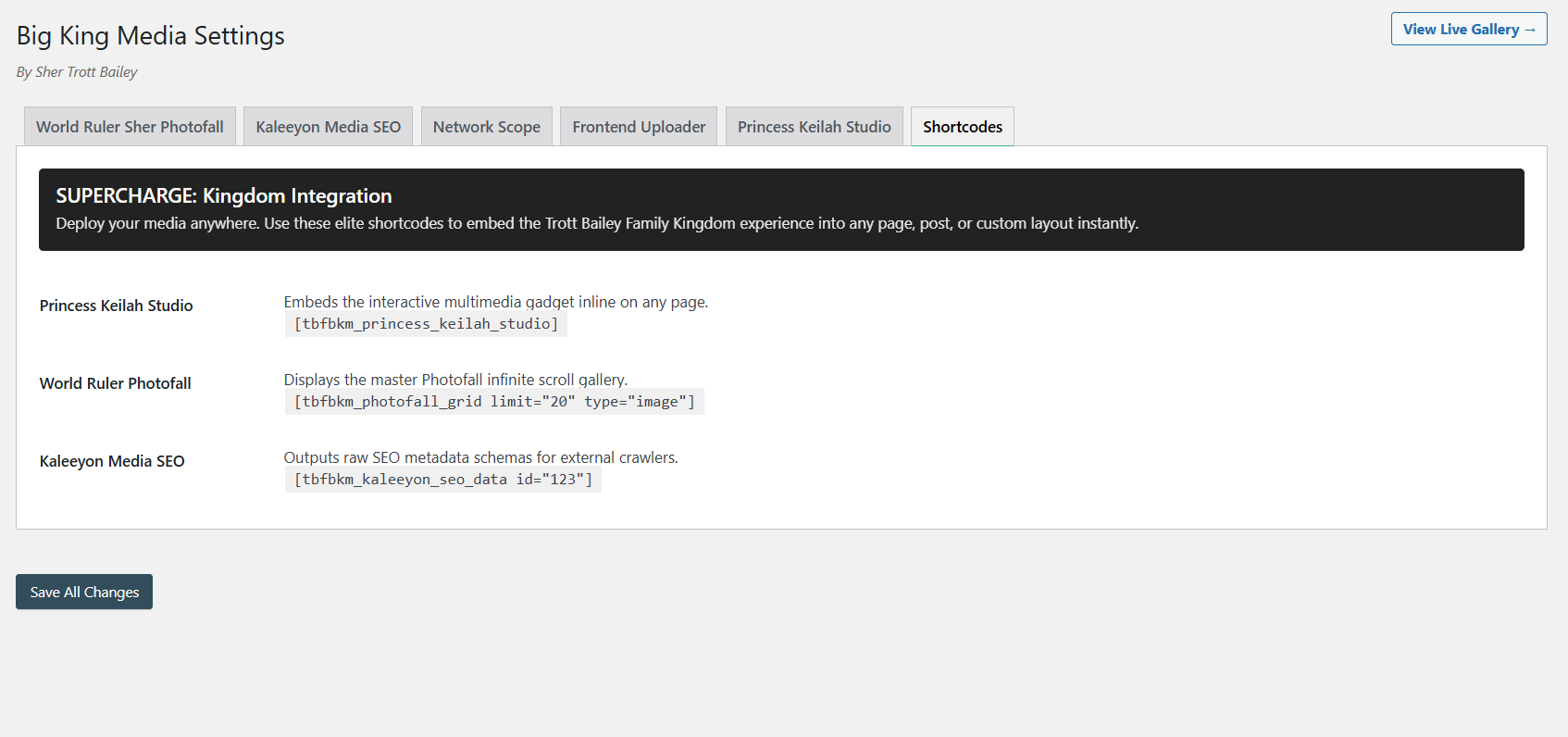
Deploy galleries, players, and uploaders in the places your WordPress workflow needs them.
Use the product video and masterclass/video page to reinforce that the shared media library is part of a larger media operating layer, not an isolated admin utility.
Use this as the high-level motion proof for the full media layer.
Embed the longer walkthrough for visitors who want the full product context.
Big King Media’s strongest technical story is the move away from repeated manual uploads and toward indexed network discovery. That does not mean every possible WordPress derivative or file behavior becomes magically storage-free. It means the shared canonical media workflow can reduce unnecessary duplication and make media discovery far more efficient.
Many multisite media workflows are really copying workflows. Big King Media’s strongest positioning is that it treats media as network infrastructure: discoverable, reusable, governed, and publishable from a shared operating layer.
| Approach | How it works | Strength | Limitation | Big King Media position |
|---|---|---|---|---|
| Manual re-upload | Each subsite uploads its own copy of the asset. | Simple and native. | Creates repeated files, scattered metadata, and avoidable editorial work. | Big King Media reduces the need to hunt, download, and re-upload the same media repeatedly. |
| Sync / duplicate plugin | Media is copied or synchronized between sites. | Can make assets appear in multiple places. | Still often preserves the duplication model. | Big King Media is positioned around indexed reuse and network discovery rather than pure duplication. |
| External DAM | Media is stored and managed in a separate digital asset platform. | Powerful for enterprise teams. | Can be expensive, disconnected from native WordPress workflows, and overbuilt for many teams. | Big King Media keeps the workflow WordPress-native and self-hosted. |
| Big King Media | Network-aware shared media access, indexing, reuse, governance, and presentation. | Combines shared access with Photofall, frontend uploads, media SEO, AI alt text, and studio features. | Storage savings depend on configuration, derivative policy, and real reuse patterns. | Best positioned as the WordPress media operating layer for multisite networks and ambitious single sites. |
Big King Media gives WordPress Multisite the shared media access layer it should have had from the beginning: search, reuse, index, govern, and publish media across the network without turning every subsite into a separate media island.
These FAQ entries support long-tail search traffic and help buyers understand how Big King Media fits into real multisite workflows.
A WordPress Multisite shared media library is a workflow that allows media to be discovered and reused across more than one subsite instead of forcing every subsite to upload and manage its own isolated copies.
No. Big King Media is built around broader media workflows, including images, video, audio, galleries, lightbox experiences, playlists, media cards, and frontend upload workflows.
No. Big King Media is designed as a media operating layer that can add shared media, Photofall, lightbox, uploader, player, and media-first experiences without requiring a full theme replacement.
Big King Media should be understood as a shared media access and media operating layer, not simply a copy/sync tool. Its strongest value is network discovery, indexing, reuse, governance, and publishing rather than just duplicating files between subsites.
Schools, churches, agencies, editorial networks, multi-brand organizations, family archives, cultural archives, and any WordPress Multisite operator that repeatedly uses the same media across multiple subsites can benefit from a shared media layer.

 and then