Big King Media World Within World
A deeper look at World Within World media presentation inside the Big King Media system.
TBF Big King Media is a media operating layer for WordPress and WordPress Multisite. It connects shared media access, zero-duplication reuse, Photofall galleries, frontend uploads, AI alt text, media SEO, audio, video, music-video workflows, folders, visibility governance, post orchestration, and public media presentation into one controlled system.

Use this same-window map to move through the strongest Big King Media pages. Each page expands one part of the media operating system while staying inside the Trott Bailey Family product ecosystem.
Product Videos
Big King Media is shown through a landscape Masterclass and five portrait product walkthroughs. The Masterclass preserves the deeper development story, while the newer portrait videos show the evolved frontend, media engine, post orchestration, nested media groups, and music-video workflows.
Explore Big King Media features for shared multisite media, Photofall, dynamic videos, duplicate merging, frontend music/video playback, and AI-powered media SEO.
A deeper look at World Within World media presentation inside the Big King Media system.
See how Big King Media helps find, merge, and recover duplicate media safely.
Watch the Photofall filter toolbar organize media discovery across the visual feed.
Manage what appears publicly in Photofall while preserving controlled media visibility.
A floating frontend media player for music, narration, videos, playlists, and family media experiences.
Experience music-video presentation through the Big King Media frontend media system.
Use AI-powered media SEO to strengthen alt text, discovery, accessibility, and search ranking.
The Masterclass gives the wider story of why Trott Bailey Family is investing deeply in Big King Media. Some interface details have evolved since this recording, but the video remains useful for understanding the seriousness, direction, and long-term development commitment behind the software.
A fast product proof showing Big King Media as a connected WordPress media operating layer.
Public playback, media presence, and frontend listening inside the Big King Media ecosystem.
Posts enter the media surface so writing, images, video, audio, and discovery can work together.
One media card can open into deeper curated collections and nested media experiences.
Audio, images, video clips, visual sequences, lightbox playback, and public media pages connect.
Core Feature System
Big King Media brings the work of multiple plugin categories into a connected system: shared media library, gallery, frontend uploader, media folder manager, visibility controller, AI alt text assistant, media SEO layer, audio player, video presenter, and media group engine.
The central product concept: media intake, organization, discovery, reuse, governance, playback, SEO, and public presentation working as one system.
Open the operating system guide → Shared MediaDiscover, reuse, and manage media across WordPress Multisite without treating every subsite as a disconnected media island.
View shared media library → PresentationA media-first public surface for images, videos, audio, posts, and curated media groups, built for browsing rather than buried backend storage.
Explore Photofall → IntakeBring media into the system from the frontend with controlled titles, alt text, folder placement, and media-library awareness.
Open frontend uploads → AudioA creative audio and media presentation system for playlists, slideshow-linked playback, floating player experiences, and public listening surfaces.
Enter Princess Keilah Studio → Music VideoBuild media-driven music experiences by connecting audio, images, video clips, visual sequences, lightbox playback, and public media pages.
View music video maker → CurationTurn a single media card into a deeper collection, allowing albums, stories, projects, and mixed-media sets to unfold from one entry point.
Open World Within World → OrganizationOrganize media through folders that belong to a larger publishing and governance system, not just a cosmetic admin sorting layer.
View media folders → GovernanceHide, restore, and govern what appears in public media surfaces while preserving the difference between backend storage and frontend display.
View visibility controls → AI MetadataGenerate and review AI-assisted image descriptions so media libraries become more accessible, searchable, and SEO-ready.
Open AI alt text → SEOTreat media as indexable content with better titles, alt text, metadata, public pages, interlinking, and sitemap-aware presentation.
Open media SEO → DeploymentPlace galleries, players, uploaders, studio experiences, and media surfaces inside pages, posts, builders, and theme-safe layouts.
View shortcode guide →Screenshot Proof
The screenshot set documents Big King Media as a working product: dashboard command, index building, Photofall settings, frontend upload, frontend management, lightbox display, shortcodes, metadata, playlists, and multiple player modes.

Central dashboard for managing the shared media library and network media workflows.

AJAX-powered indexing for scanning and organizing media across connected sites.

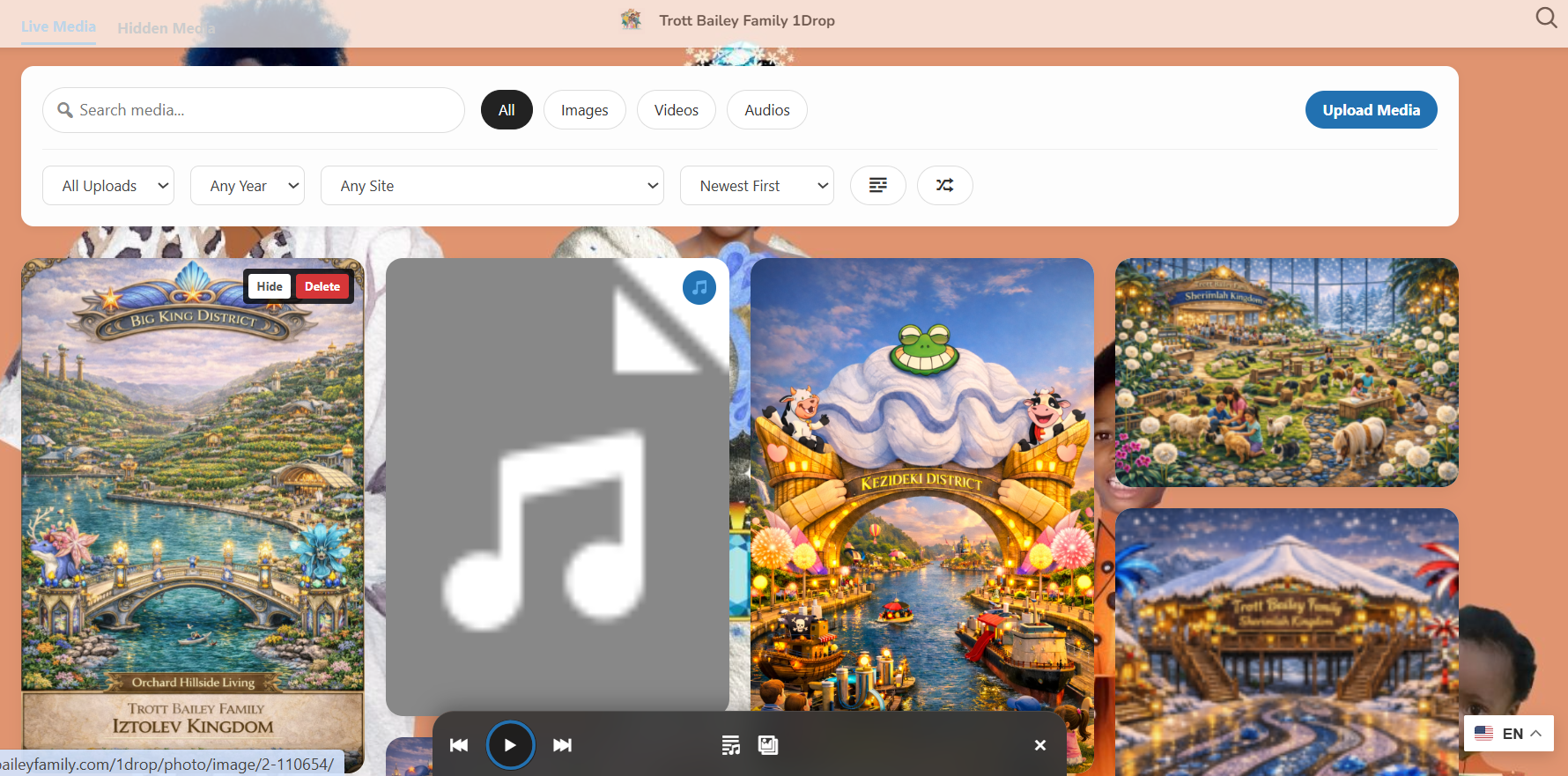
Controls for the masonry media surface built for images, video, and audio.
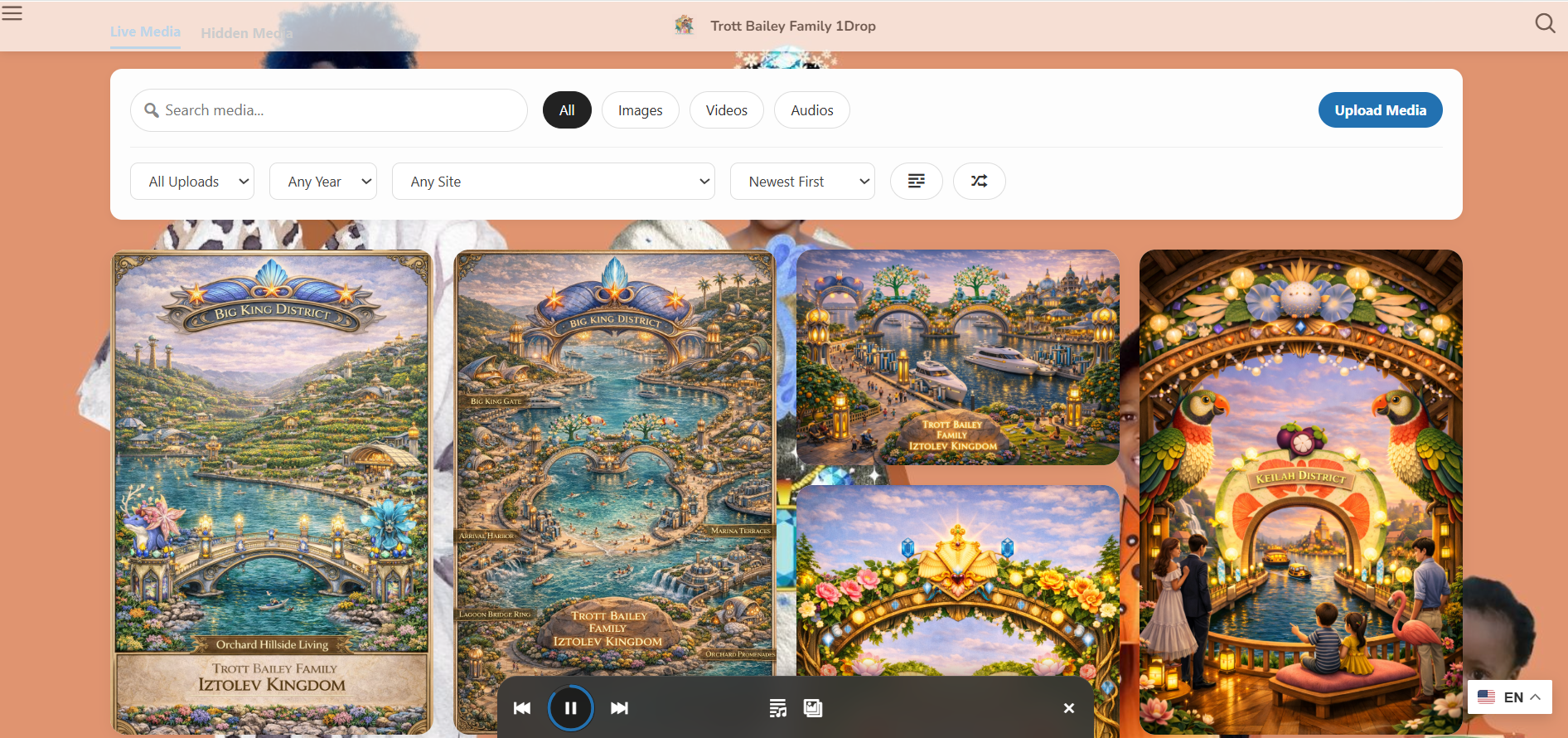
Public gallery layout for media browsing, discovery, and frontend presentation.
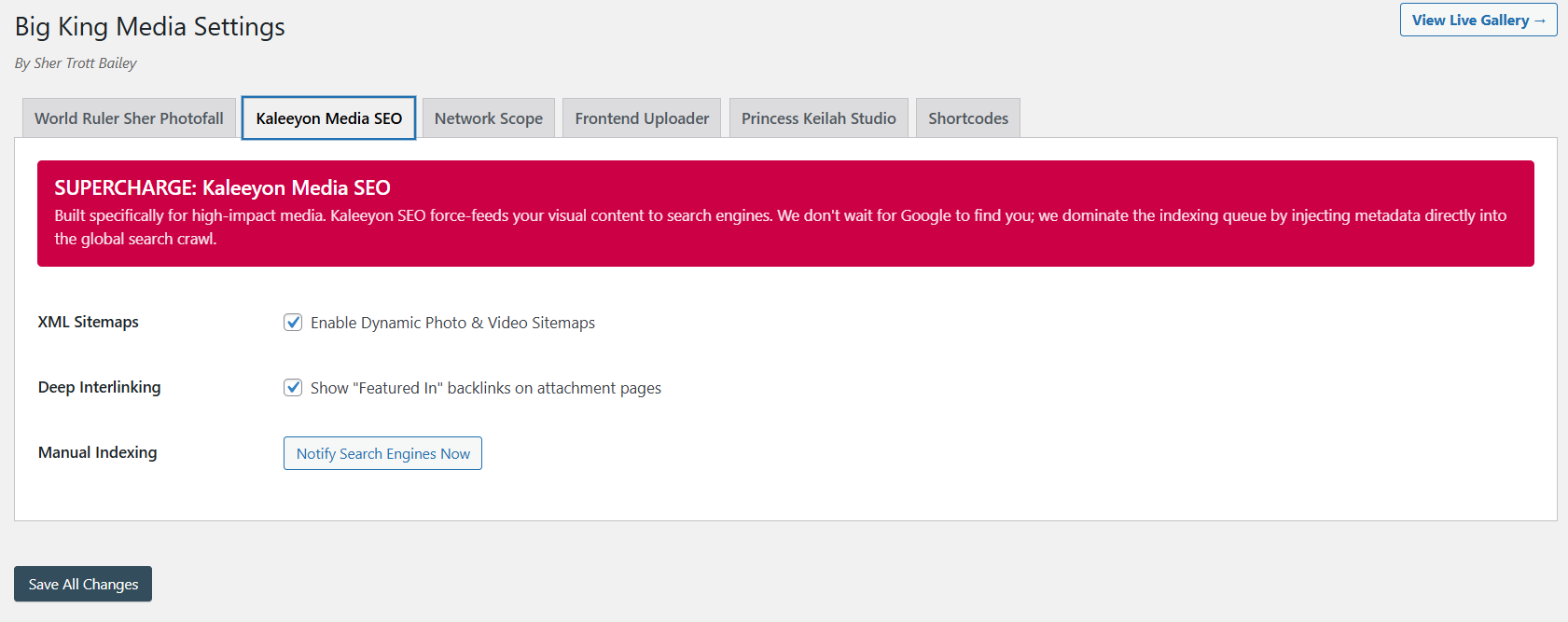
Metadata, interlinking, visibility, and search-facing media improvement tools.
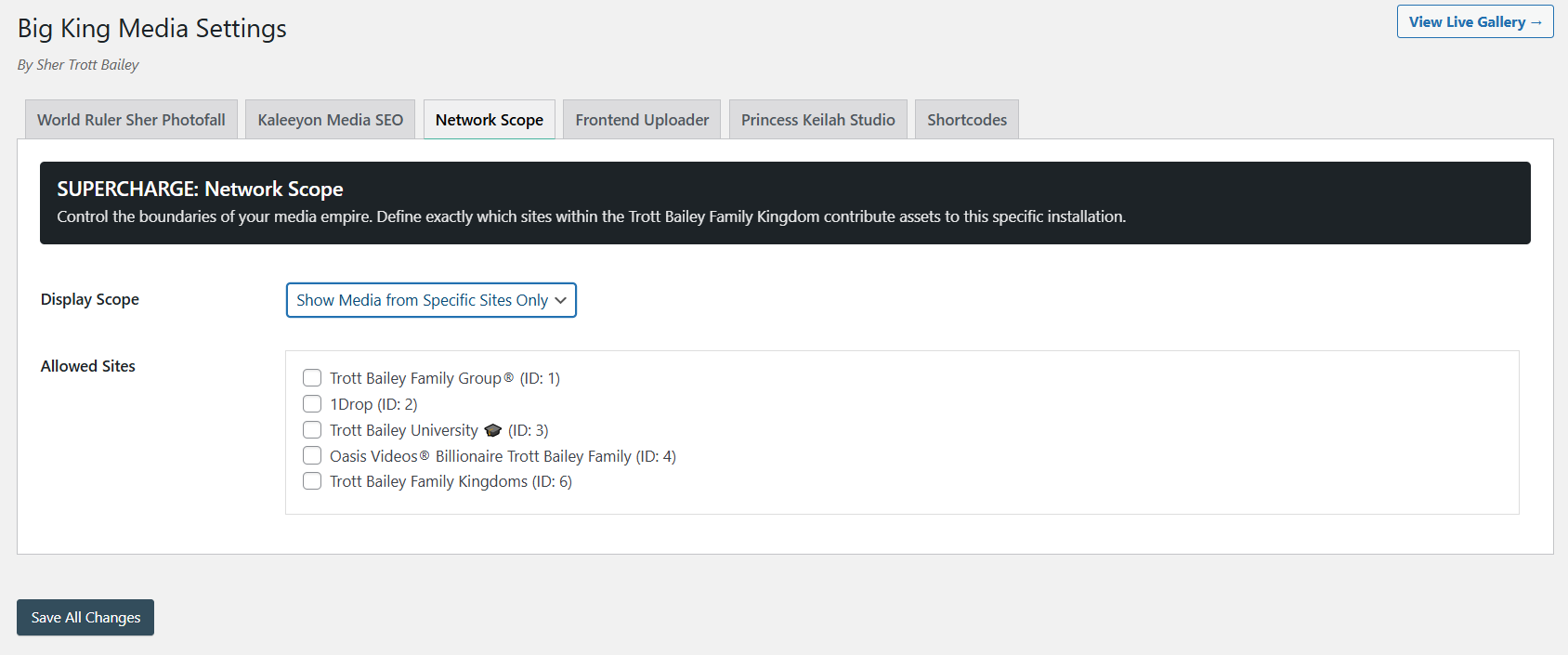
Network-level controls for indexing, permissions, galleries, and multisite behavior.

Master controls for guiding subsite behavior from a network command panel.
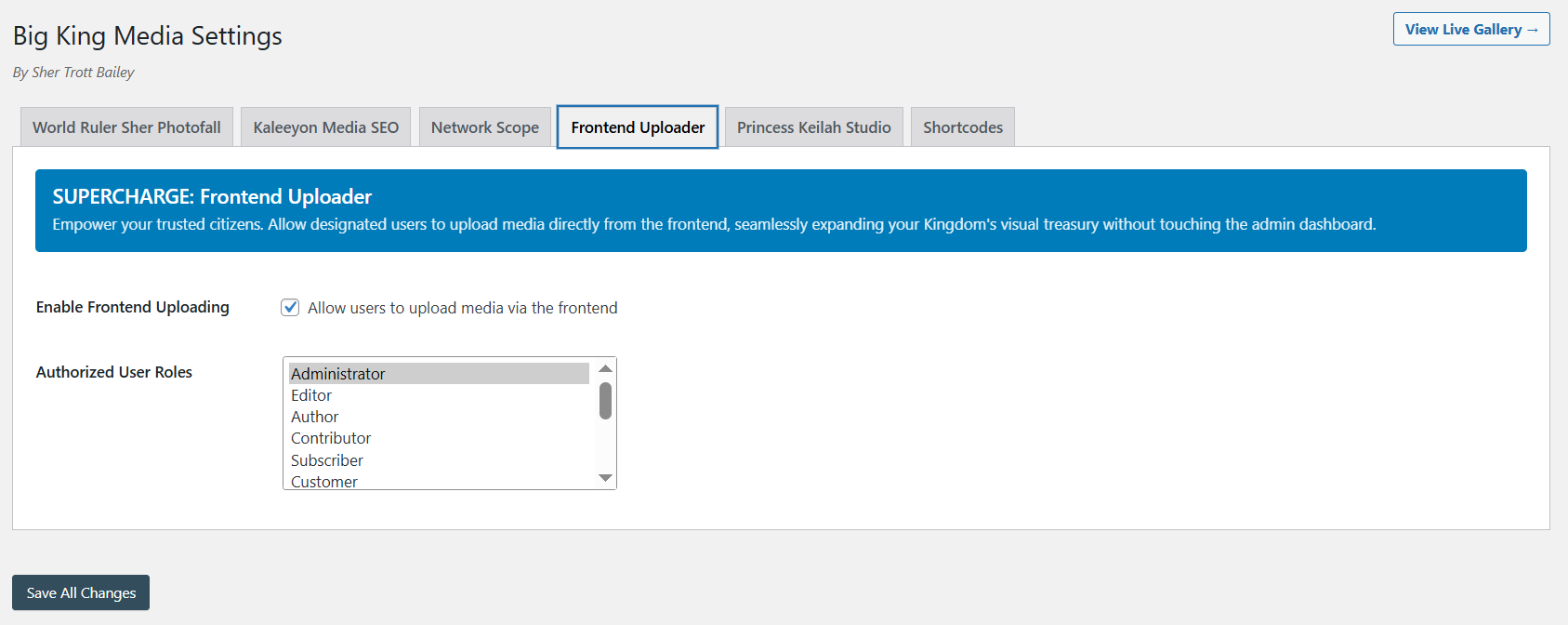
Media uploads from the public side of WordPress without opening the dashboard.
Authorized users can manage public media visibility directly from frontend surfaces.
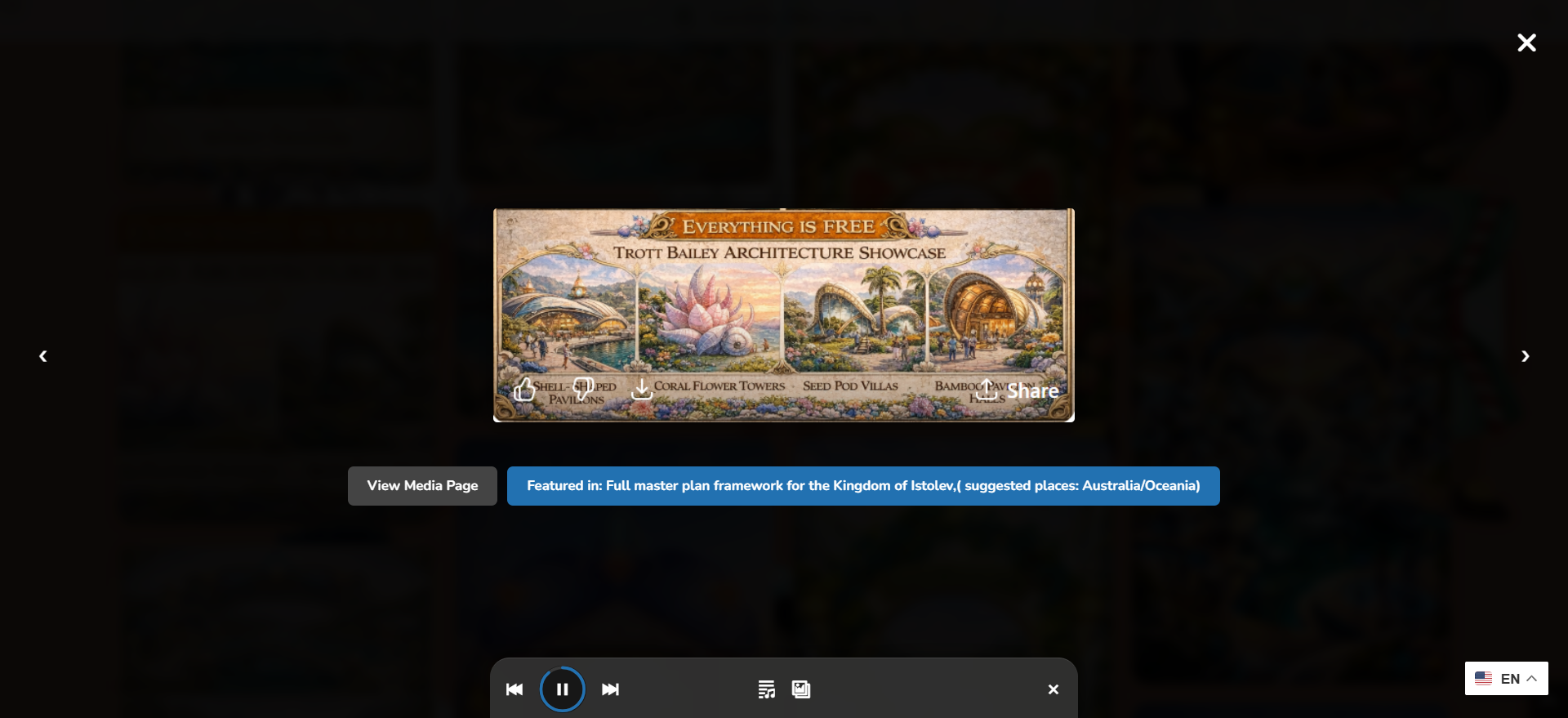
Images, video, audio, posts, and media experiences open in a fast public viewing layer.
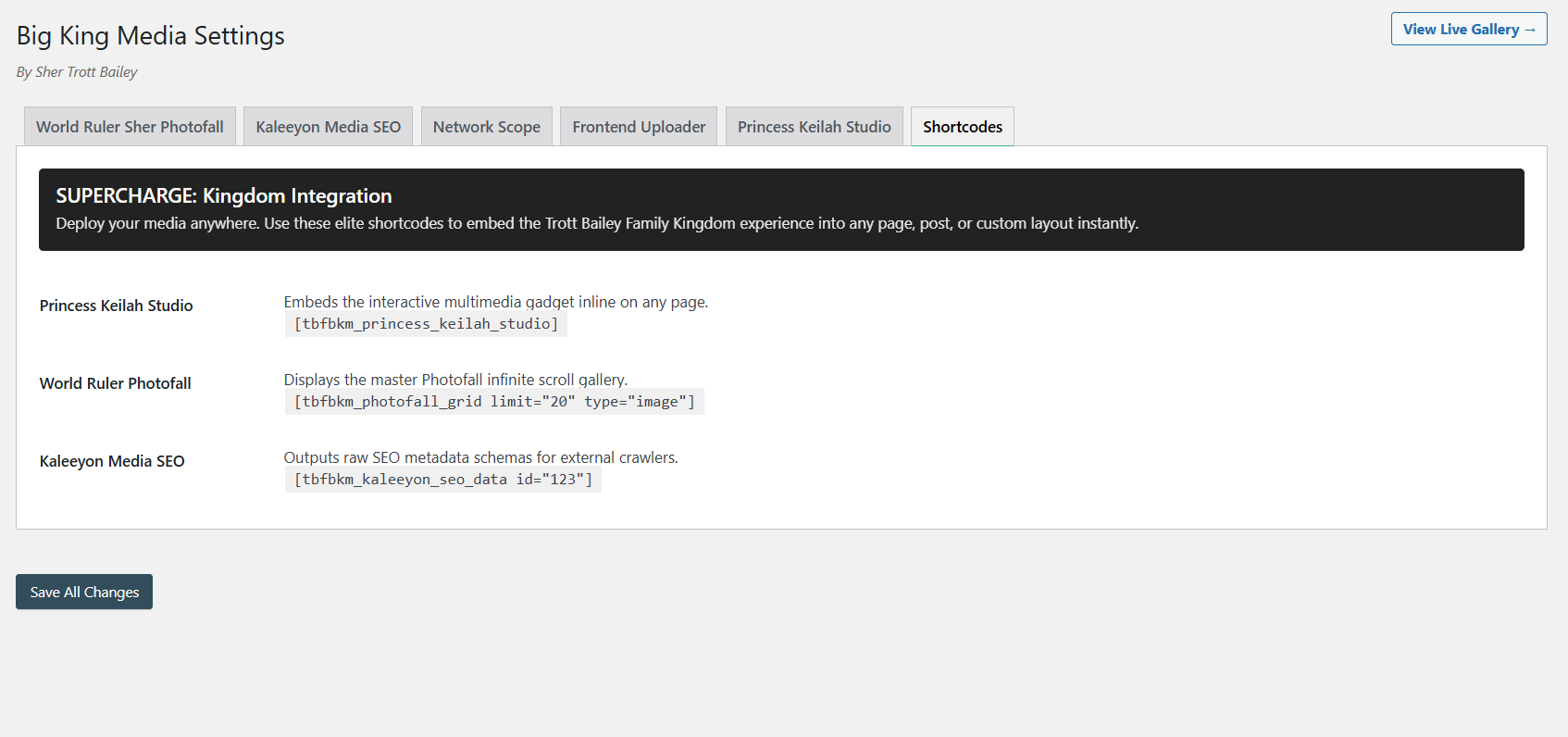
Place players, galleries, uploaders, and media systems inside WordPress content.
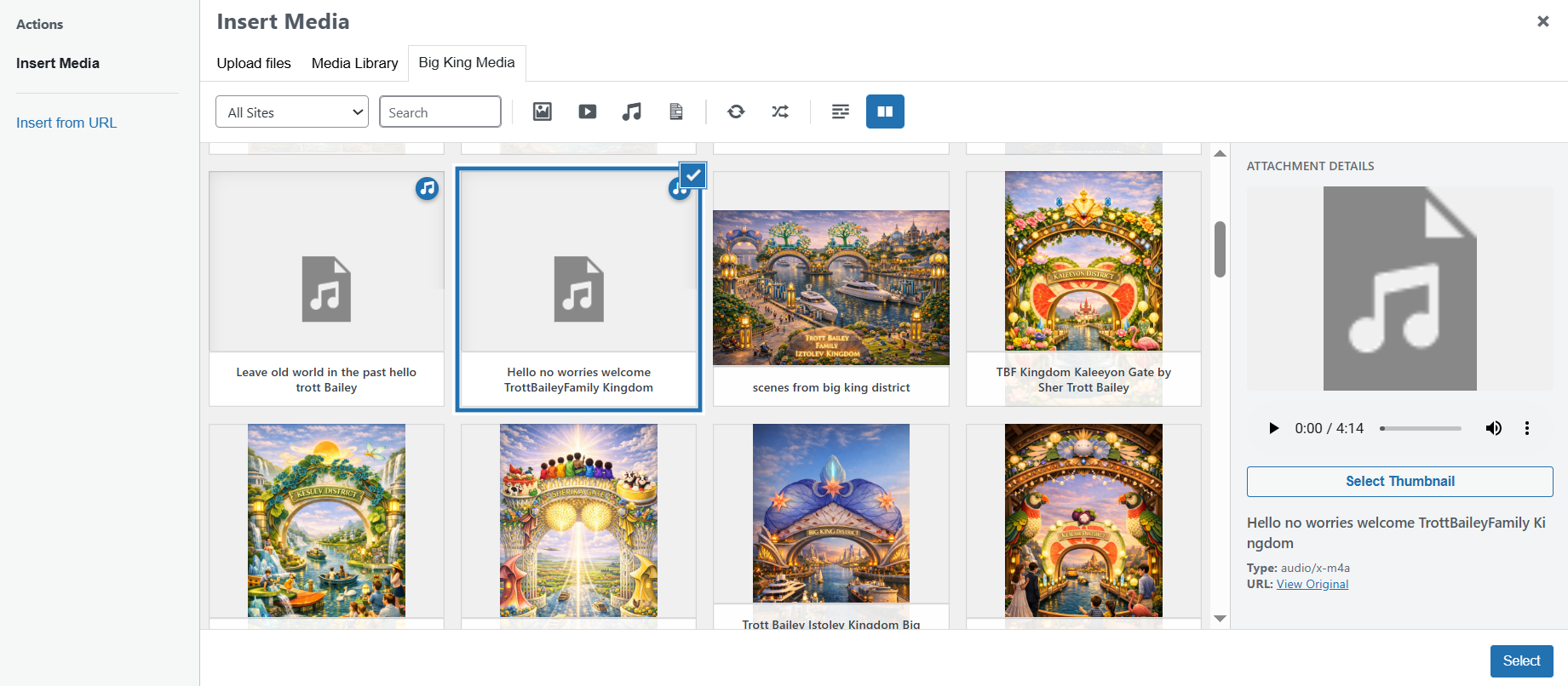
Assign thumbnails, improve metadata, and strengthen media presentation from the dashboard.
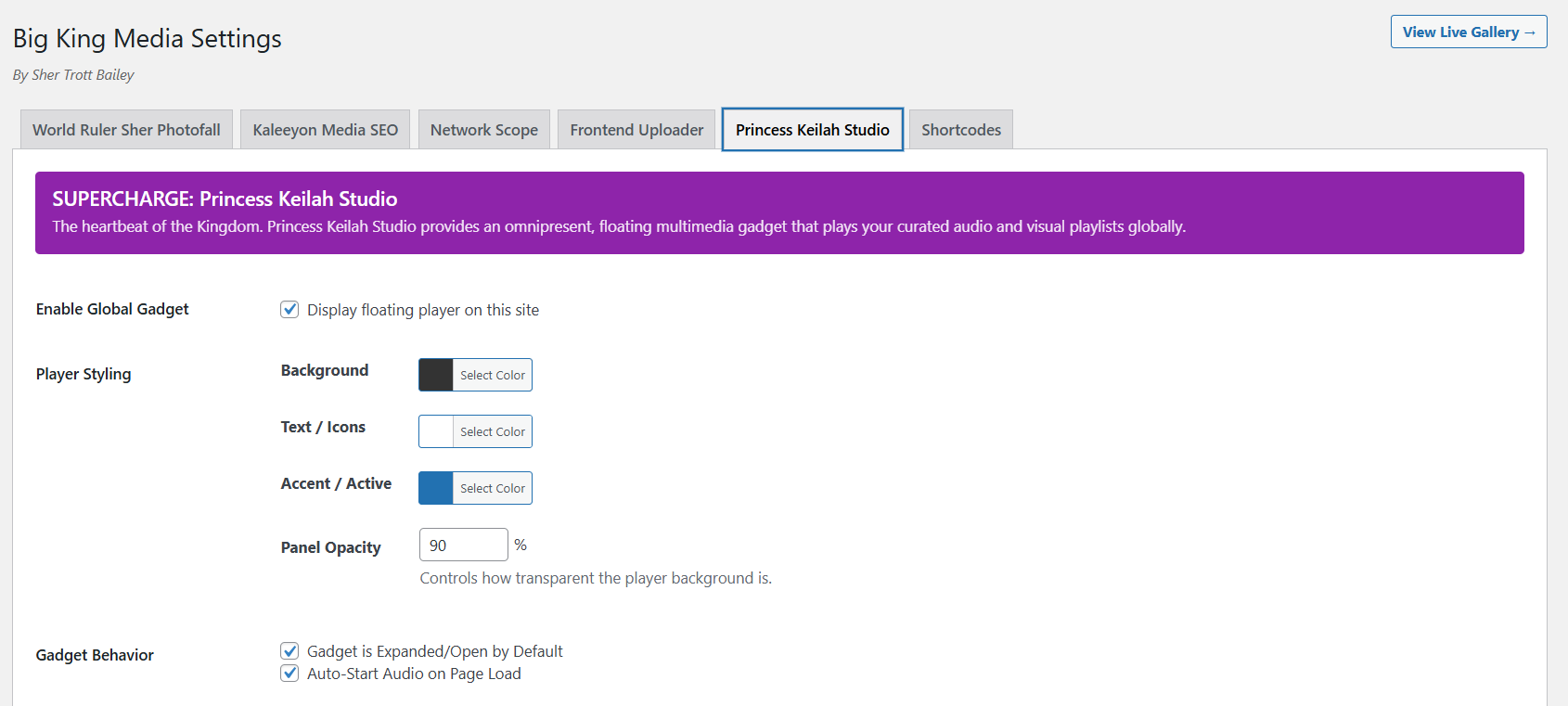
Floating audio player settings for playlists, slideshow features, and rich playback.
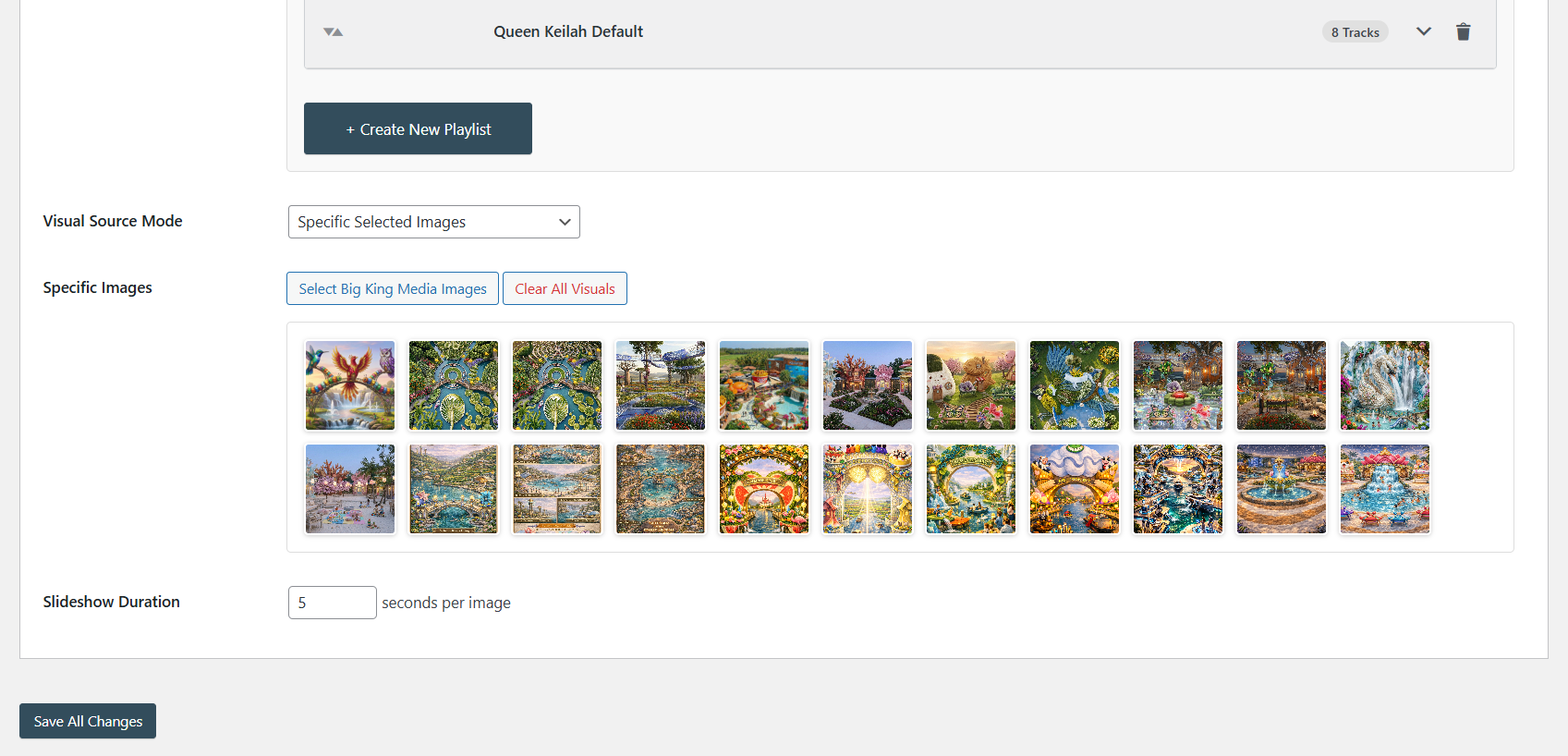
Create audio playlists and synchronized slideshow experiences from media assets.
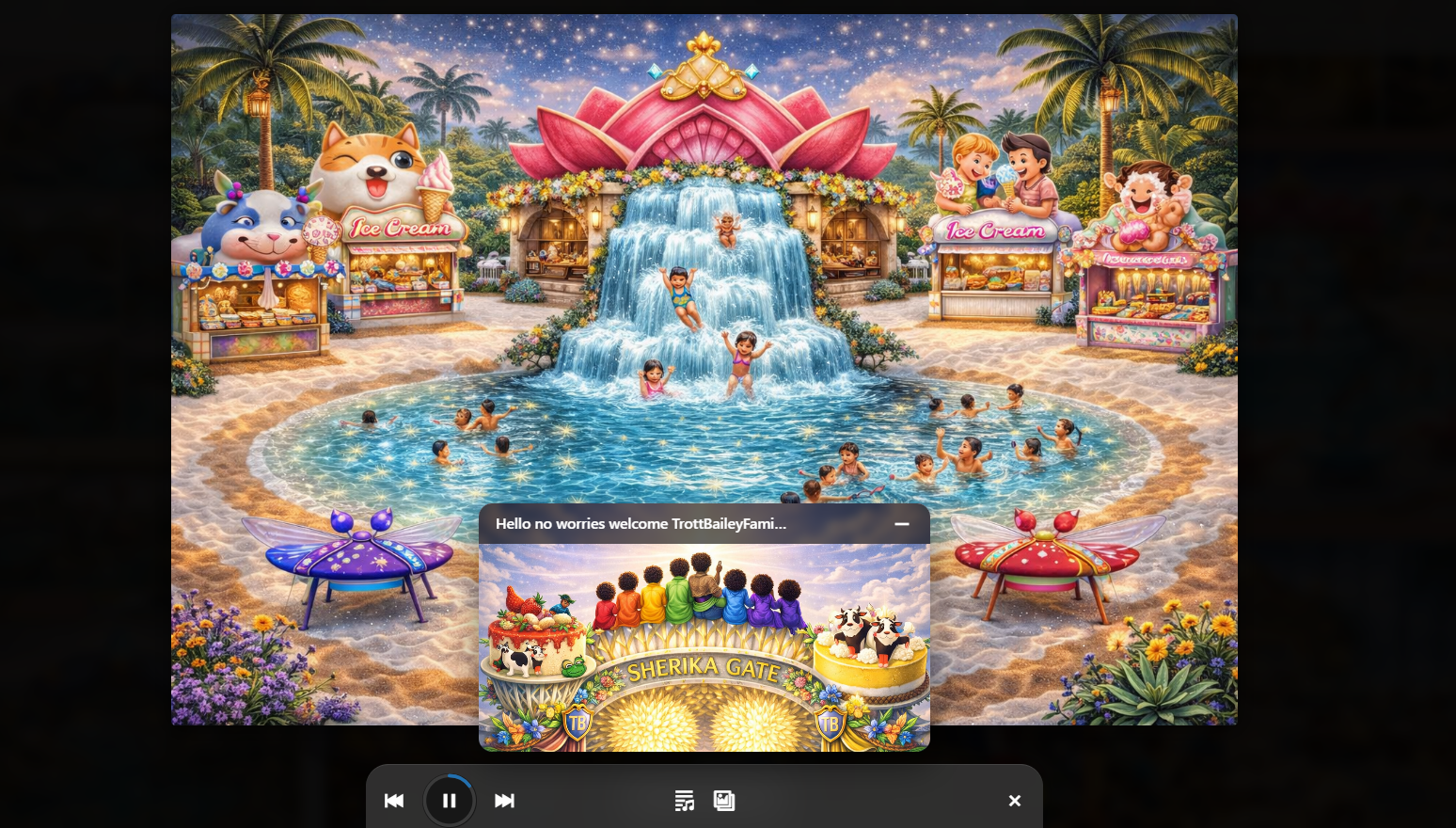
Combine audio player and slideshow presentation into one richer media experience.
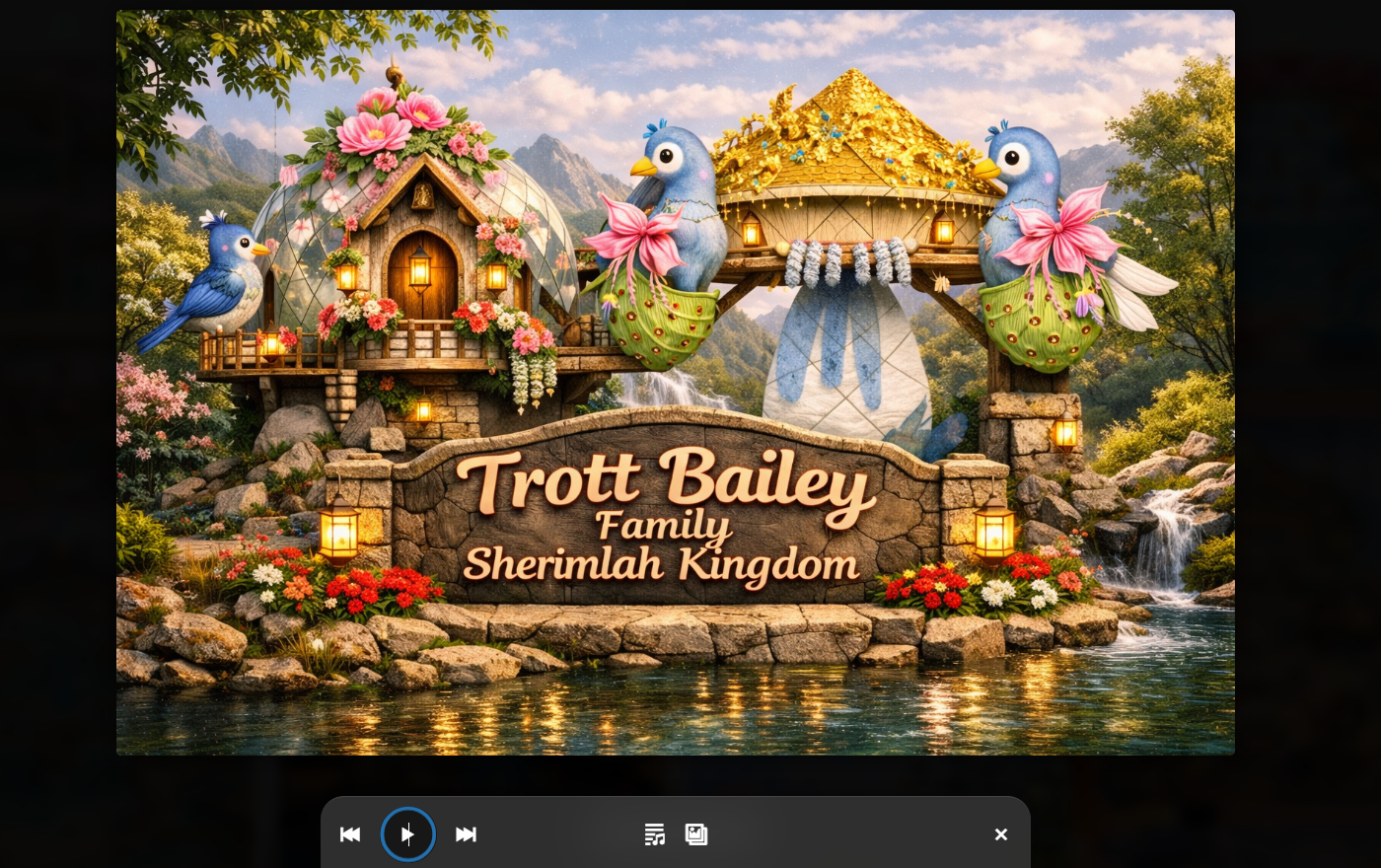
A focused playback mode for music, audio, podcasts, and playlist-driven sites.
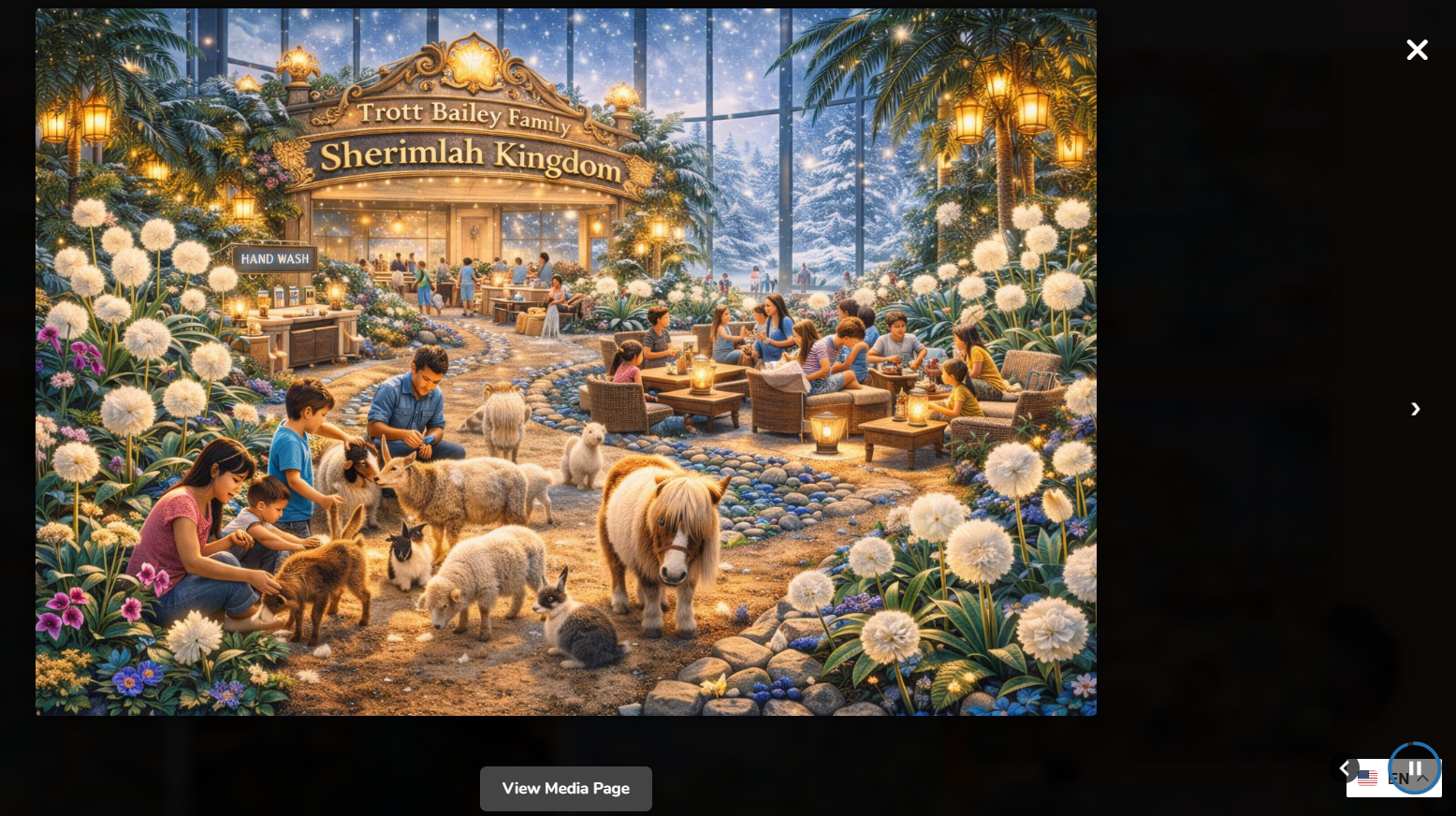
A lightweight floating playback button for sites that need minimal media controls.
Architecture
Big King Media is built around a database-backed media index and a proxy/reference model that lets WordPress sites discover and reuse media without forcing every subsite into duplicate uploads, disconnected galleries, or scattered media debt.
Big King Media keeps media discoverable across the network while preserving source identity through indexed records, source site ownership, and controlled media references.
Read the architecture page → Problem LayerDuplicate files, hidden assets, weak metadata, broken reuse, and scattered public display become long-term debt. Big King Media treats media debt as a system problem.
Study media debt → OwnershipThe plugin is self-hosted and developed as a Trott Bailey Family media infrastructure layer, with the product ecosystem, documentation, and release path controlled at the source.
Open sovereign OS → DistributionBig King Media is positioned as a serious self-hosted software system that can remain accessible without being reduced to a limited narrow plugin category.
Read the free software direction → Theme SafeKeep the existing WordPress theme while upgrading the media experience through Photofall, players, shortcodes, and media-first public surfaces.
View theme-safe media → Post LayerPosts can enter the media surface so articles, galleries, images, videos, audio, and selected subsite content work together inside one public discovery layer.
Open post orchestration →Documentation
Big King Media has a growing documentation ecosystem for installation, multisite setup, shared media indexing, Photofall, frontend uploads, shortcodes, media SEO, AI alt text, music-video workflows, and troubleshooting.
The documentation hub is the central guide for users who want to understand what the plugin does, install it correctly, activate the right modules, run the indexer, create media surfaces, and troubleshoot common issues.
Screenshot Proof
The screenshot set documents Big King Media as a working product: dashboard command, index building, Photofall settings, frontend upload, frontend management, lightbox display, shortcodes, metadata, playlists, and multiple player modes.
Central dashboard for managing the shared media library and network media workflows.
AJAX-powered indexing for scanning and organizing media across connected sites.
Controls for the masonry media surface built for images, video, and audio.
Public gallery layout for media browsing, discovery, and frontend presentation.
Metadata, interlinking, visibility, and search-facing media improvement tools.
Network-level controls for indexing, permissions, galleries, and multisite behavior.
Master controls for guiding subsite behavior from a network command panel.
Media uploads from the public side of WordPress without opening the dashboard.
Authorized users can manage public media visibility directly from frontend surfaces.
Images, video, audio, posts, and media experiences open in a fast public viewing layer.
Place players, galleries, uploaders, and media systems inside WordPress content.
Assign thumbnails, improve metadata, and strengthen media presentation from the dashboard.
Floating audio player settings for playlists, slideshow features, and rich playback.
Create audio playlists and synchronized slideshow experiences from media assets.
Combine audio player and slideshow presentation into one richer media experience.
A focused playback mode for music, audio, podcasts, and playlist-driven sites.
A lightweight floating playback button for sites that need minimal media controls.
Architecture
Big King Media is built around a database-backed media index and a proxy/reference model that lets WordPress sites discover and reuse media without forcing every subsite into duplicate uploads, disconnected galleries, or scattered media debt.
Big King Media keeps media discoverable across the network while preserving source identity through indexed records, source site ownership, and controlled media references.
Read the architecture page → Problem LayerDuplicate files, hidden assets, weak metadata, broken reuse, and scattered public display become long-term debt. Big King Media treats media debt as a system problem.
Study media debt → OwnershipThe plugin is self-hosted and developed as a Trott Bailey Family media infrastructure layer, with the product ecosystem, documentation, and release path controlled at the source.
Open sovereign OS → DistributionBig King Media is positioned as a serious self-hosted software system that can remain accessible without being reduced to a limited narrow plugin category.
Read the free software direction → Theme SafeKeep the existing WordPress theme while upgrading the media experience through Photofall, players, shortcodes, and media-first public surfaces.
View theme-safe media → Post LayerPosts can enter the media surface so articles, galleries, images, videos, audio, and selected subsite content work together inside one public discovery layer.
Open post orchestration →Documentation
Big King Media has a growing documentation ecosystem for installation, multisite setup, shared media indexing, Photofall, frontend uploads, shortcodes, media SEO, AI alt text, music-video workflows, and troubleshooting.
The documentation hub is the central guide for users who want to understand what the plugin does, install it correctly, activate the right modules, run the indexer, create media surfaces, and troubleshoot common issues.
Release and Download
Big King Media is distributed directly through Trott Bailey Family. The official product pages, documentation, screenshots, videos, release path, and download ecosystem are maintained from the TrottBaileyFamily.com software home.
Big King Media is built for websites that need more than a standard media library. It is a shared media access layer, a public media presentation system, a media SEO tool, a frontend upload system, a creative audio/video layer, and a multisite media governance engine.
The current product direction is self-hosted and intentionally broader than a single WordPress.org-style category. The plugin is documented through product pages, architecture pages, screenshots, videos, live proof pages, and a growing documentation hub.
FAQ
Big King Media is designed for users who want their media library to become searchable, reusable, governable, and public-facing.
No. Big King Media is especially powerful for WordPress Multisite, but the product direction also supports media-heavy single-site workflows that need galleries, uploaders, players, folders, visibility, SEO, and public media presentation.
No. Shared media is one major branch, but Big King Media also includes Photofall, frontend uploads, folders, visibility controls, AI alt text, media SEO, audio/video workflows, music-video presentation, post orchestration, shortcodes, and nested media groups.
It can replace many gallery plugin needs through Photofall and media-first public presentation. The larger advantage is that the gallery layer connects to shared media, uploads, SEO, visibility, groups, audio, video, and the media index.
Yes. Kaleeyon AI Alt Text supports AI-assisted image descriptions so media libraries can become more accessible, searchable, and SEO-ready when the feature is configured.
Yes. Princess Keilah Studio, the frontend player, playlists, synchronized visuals, compact player mode, and music-video workflows are part of the larger media operating system.
The official self-hosted plugin ZIP is available directly from Trott Bailey Family at the download link on this page. The product ecosystem, documentation, and release direction are maintained through TrottBaileyFamily.com.
Big King Media gives WordPress a stronger media layer: shared access, better discovery, frontend presentation, media governance, AI-supported metadata, audio/video experiences, nested media groups, and a self-hosted path for serious media-heavy websites.

The public landing page last stopped at version 7.0.5. Since then, Big King Media has moved far beyond a simple multisite shared media library.
This release log captures the transformation: enterprise UI, mobile admin controls, faster indexing, Photofall scaling, frontend media management, folders, World Within World collections, Kaleeyon AI Alt Text, media SEO, post/feed indexes, public performance protections, and the Princess Keilah music-video studio line.
Positioning shift: Big King Media should now be presented as the plugin that lets WordPress site owners run a media powerhouse without changing their active theme. It centralizes media, publishes media, organizes media, improves accessibility, powers audio/video experiences, and gives multisite networks a real shared-media workflow.
The newest line focuses on making Princess Keilah music-video playback dependable while preserving the stable audio-player baseline.
This line turned the plugin from a feature-rich system into a more disciplined production product.
This was the biggest architectural growth period. Big King Media gained serious large-library foundations and media-intelligence systems.
TBF Big King Media helps you browse, search, filter, and reuse media across your multisite network without the same messy workflow of repeated uploads, scattered libraries, and constant URL hunting.
This plugin was built from real production need. Before releasing it publicly, we used it privately for over five years while managing a very large media-heavy multisite environment. That is why it entered the WordPress repository as version 7 instead of version 1.
If you run WordPress multisite and need a true shared media workflow for images, video, and audio, this is the plugin we built to make that work properly.

WordPress multisite becomes frustrating when media is trapped inside separate subsites. Teams end up re-uploading the same files, scrambling for URLs, and wasting time switching between libraries just to publish one page, one gallery, or one featured image.
TBF Big King Media was built to remove that friction. It gives you one practical network-wide media workflow so you can find what you need faster and publish with less repetition.
A multisite shared media library allows you to use one central media library across all sites in a WordPress multisite network. Instead of uploading the same images, videos, or files multiple times, media is stored once and accessed everywhere. This reduces duplication, improves performance, and keeps branding and content consistent across your entire network.
Search, sort, and filter media across your multisite network through one shared library workflow instead of checking each subsite individually.
The plugin is designed to reduce unnecessary file duplication and make cross-site media reuse more practical.
Use assets from across the network as featured images instead of limiting yourself to one local media library.
Turn your network media into responsive gallery output with Photofall and related front-end display tools.
Indexing and network controls make the plugin much more suitable for large multisite environments with heavy media usage.
Frontend upload and media-management tools help extend the workflow beyond wp-admin when needed.
TBF Big King Media is a purpose-built solution for WordPress multisite that transforms isolated media libraries into one unified system. Unlike other plugins that duplicate or sync files, Big King Media intelligently indexes and reuses media across your network—giving you faster access, cleaner storage, and seamless integration with the native WordPress media modal.
See Comparison
The modal brings media discovery, filtering, and subsite-aware browsing into one cleaner interface.
An AJAX-powered index builder designed for scanning and organizing media across subsites.
Pinterest-style gallery settings for turning shared media into visual, front-end content.
High-speed gallery presentation for images, video, and audio drawn from the shared library.
Additional tools for media metadata, visibility, and internal media-related structure.
Configure indexing, permissions, and gallery behavior across the network from one place.
Master admin controls for subsite-level behavior when consistency matters across a large network.
Upload media from the frontend without having to open the WordPress dashboard.
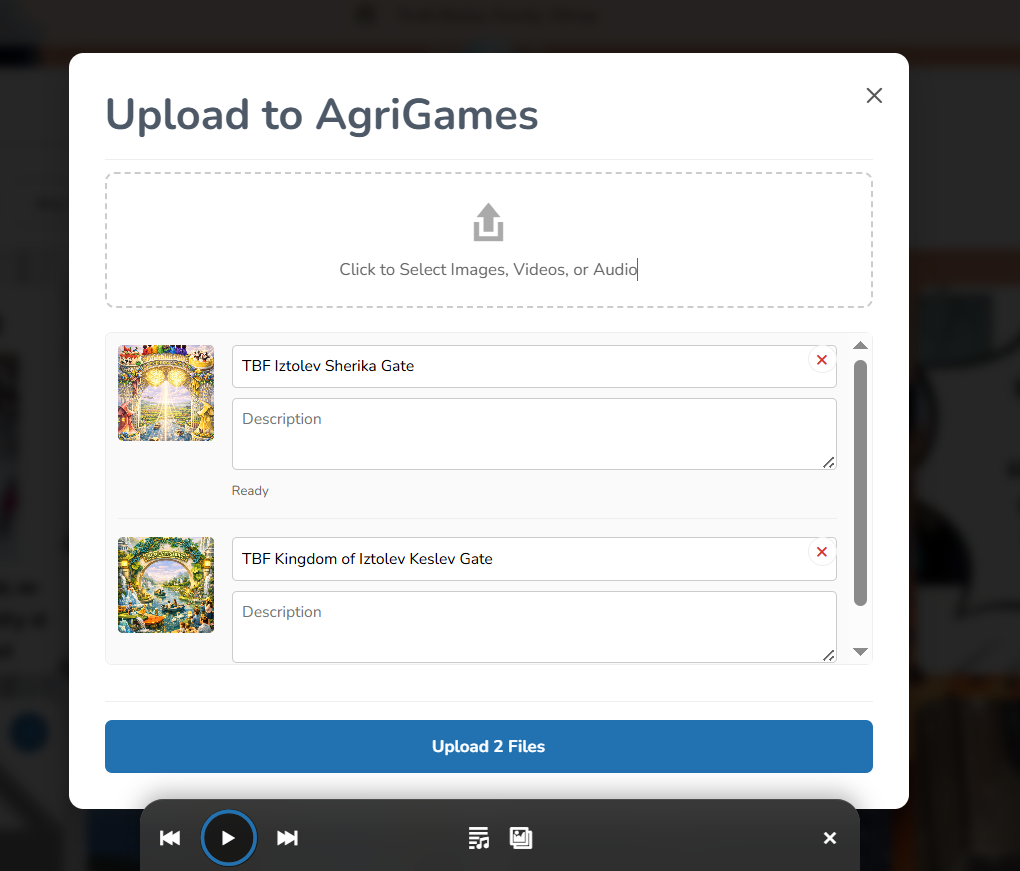
Upload directly into the shared library and add title and alt text without unnecessary extra navigation.
Hide or delete media from the frontend if the user has permission to manage it.
To share media across a WordPress multisite network, you need a system that connects all site libraries into one accessible pool. With TBF Big King Media, simply install and network-activate the plugin, run the indexer, and instantly browse and insert media from any site directly within the WordPress media modal—no duplication or manual syncing required.
Open images, video, and audio in an interactive lightbox tied directly to the broader media workflow.
Add players, galleries, and uploaders where you need them throughout your WordPress site.
Assign thumbnails and manage metadata for rich media assets directly from the plugin environment.
WordPress multisite is designed to keep each site independent, including its media library. Each subsite stores uploads in separate directories and databases, which prevents native sharing. While this improves isolation, it creates inefficiencies when managing multiple sites. A shared media solution like Big King Media bridges this gap by enabling controlled, network-wide access to media assets.
TBF Big King Media also includes an extended set of media presentation tools for audio-heavy and mixed-media use cases.
A rich floating player environment with playlist and slideshow support.
Create media experiences that combine audio playlists with synchronized slideshow presentation.
Combine audio playback and slideshow display into one larger front-end presentation mode.
A minimal player mode for music, spoken audio, podcasts, and playlist-focused pages.
A lightweight floating play button for simpler playback when you want a smaller interface.
Because it was not created as a brand-new experiment for the repository. It had already been used privately in production for over five years before public release.
Yes. The plugin was built around the real difficulties of multisite media management, especially when media becomes scattered across many subsites.
That is one of the main reasons it was built. The goal is to reduce repetition, speed up media discovery, and make cross-site reuse much more practical.
Yes. The plugin supports broader media workflows including video, audio, galleries, lightbox displays, and player-based presentation.
Yes. It was shaped by a real large-scale media environment and includes indexing and network controls meant for heavier multisite use.
TBF Big King Media was built to solve a real operational headache. If you need a better way to manage shared media across WordPress multisite, this is the tool we created and used ourselves before releasing it publicly.




 and then