TBF Big King Media: The Wiki
TBF Big King Media: The Wiki
A technical deep dive into the software that disrupted the WordPress Multisite ecosystem. Battle-tested for 5 years, version 7.0.1, and 100% free.
The Origins: A 5-Year Secret
Most software on the WordPress repository begins at version 1.0.0—a fledgling attempt to solve a problem. TBF Big King Media arrived at version 7.0.1. This is because the software was never meant for the public; it was the private, high-performance engine powering the Trott Bailey Family kingdoms for over five years.
In a world where competitors charge $100 to $500 per year for a fraction of these features, Big King Media stands as an unbiased powerhouse. Below is the 20-point technical deep dive into the technology that makes this possible.
Part I: The Infrastructure & Admin Command
1. Shared Media Library Dashboard

The **Dashboard** is the brain of the operation. It moves beyond simple plugin settings into a “Central Command” area. From here, admins can monitor the health of the entire multisite network’s media library, ensuring that assets are flowing efficiently between subsites without manual intervention.
2. AJAX-Powered Network Media Indexer

This is the core technology that sets Big King Media apart. Traditional plugins crash or timeout on large networks. Our **AJAX Indexer** builds a map of your media in the background, handling thousands of assets across hundreds of sites with zero server strain. It is high-speed, reliable, and indestructible.
3. Big King Media Network Settings
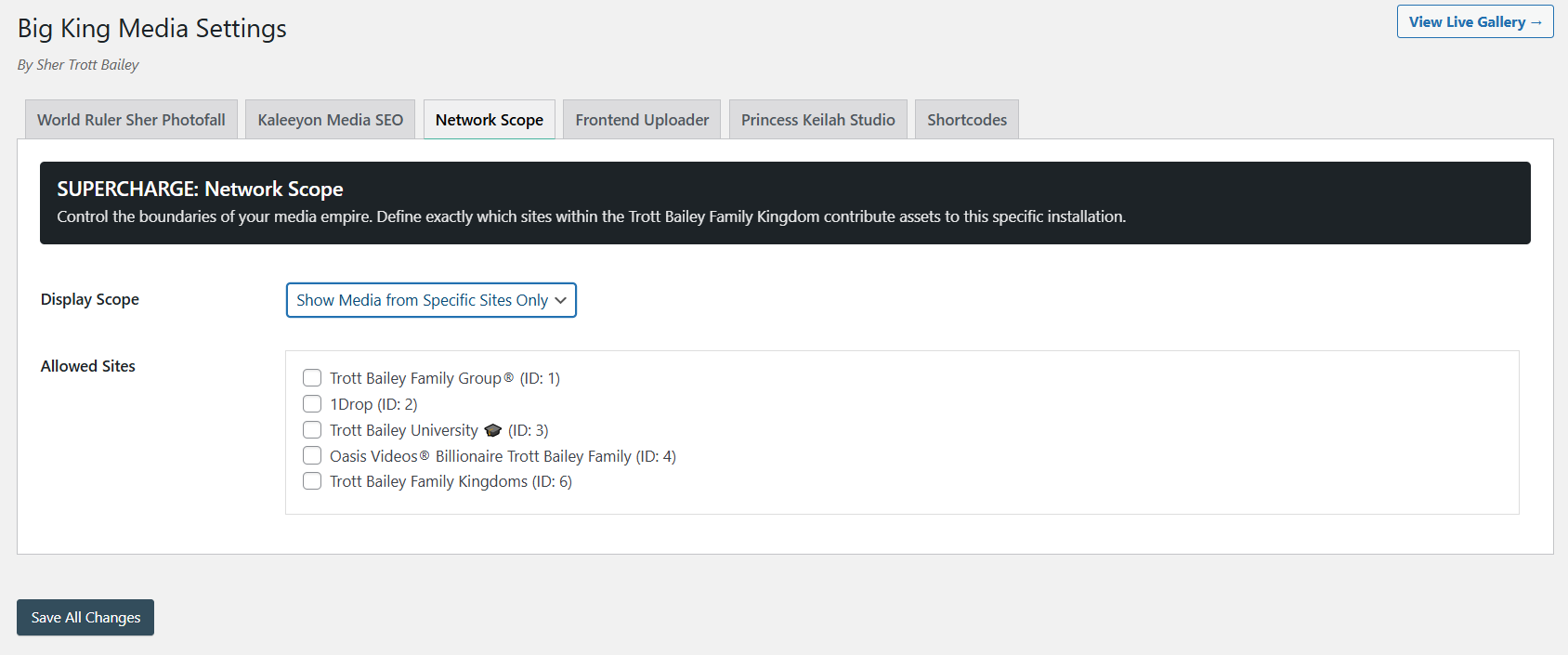
Admin control is absolute. These settings allow you to configure global permissions, decide which subsites participate in the indexing, and set the default behavior for media sharing across the entire network architecture.
4. Network Override Settings

A true “King” feature. The **Override Panel** allows a Super Admin to force media behavior on subsites. This ensures brand consistency—if the Master Admin wants a specific gallery style or indexing rule, they click one button, and it propagates network-wide instantly.
5. Network-Wide Shared Media Modal

When a user on a subsite wants to add media, they don’t see a restricted view. They see a network-wide modal with a sidebar for subsite selection, shuffling filters, and lightning-fast search capabilities. It turns a fragmented network into a single, massive asset pool.
Part II: Frontend Power & Management
6. Big King Media Frontend Uploader
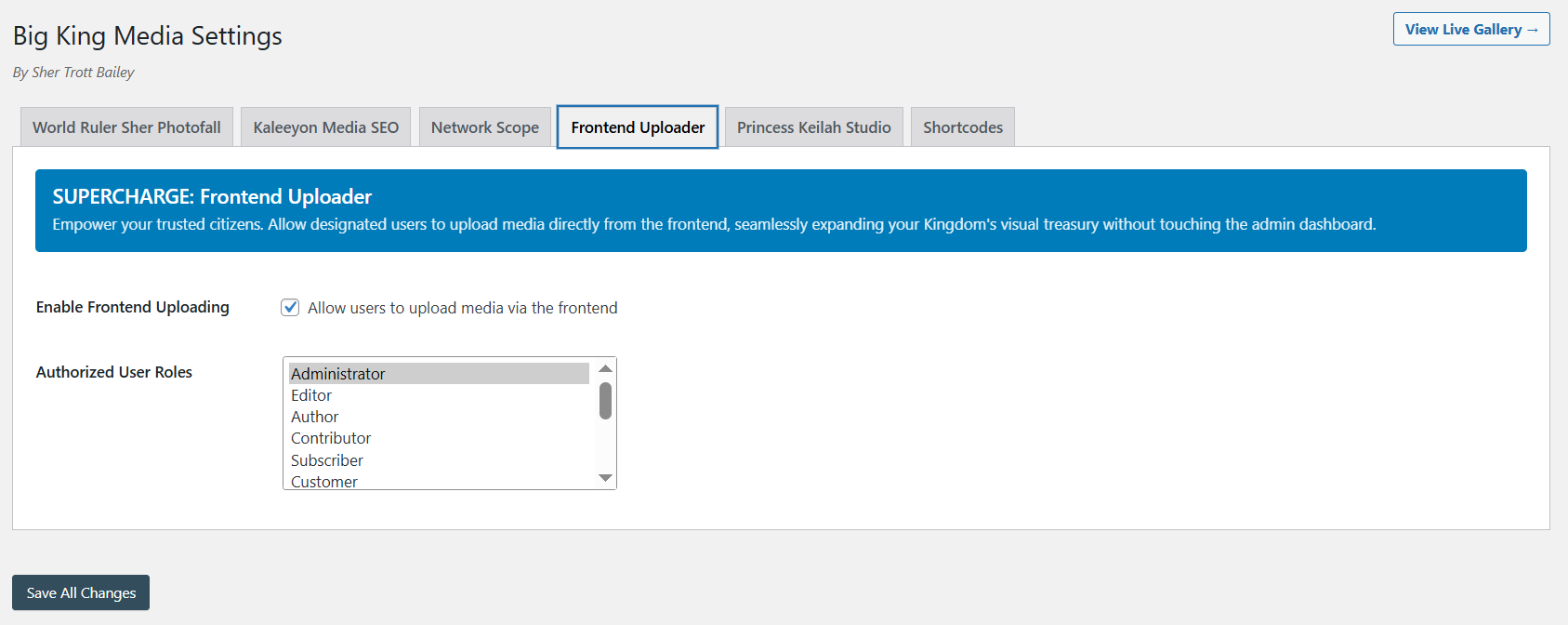
Efficiency is key. The **Frontend Uploader** allows admins and authorized contributors to push images, audio, and video to the shared library directly from the frontend. This completely bypasses the clunky WordPress dashboard for a faster, modern workflow.
7. Direct Shared Library Uploads with Metadata
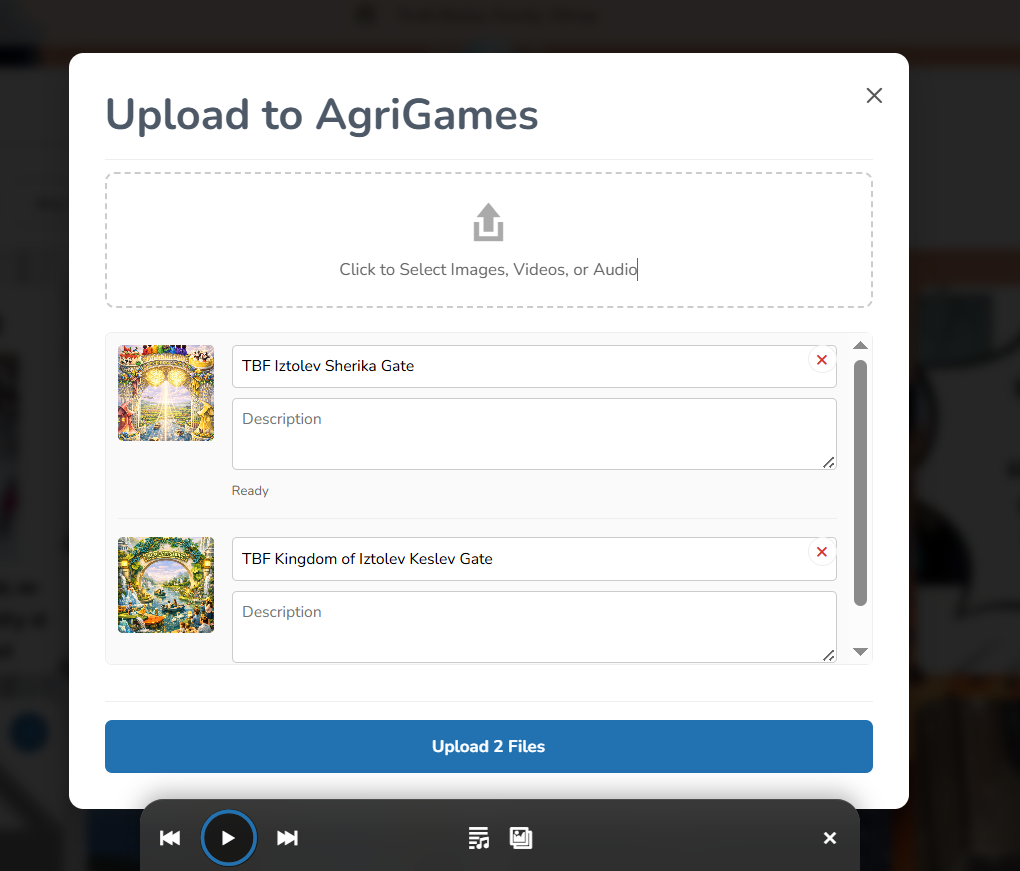
Unlike basic uploaders, this frontend tool allows you to set the **Title and Alt Text** at the point of upload. This ensures that media is SEO-optimized and ready for use across the network the moment it is submitted.
8. Frontend Media Management (Hide/Delete)
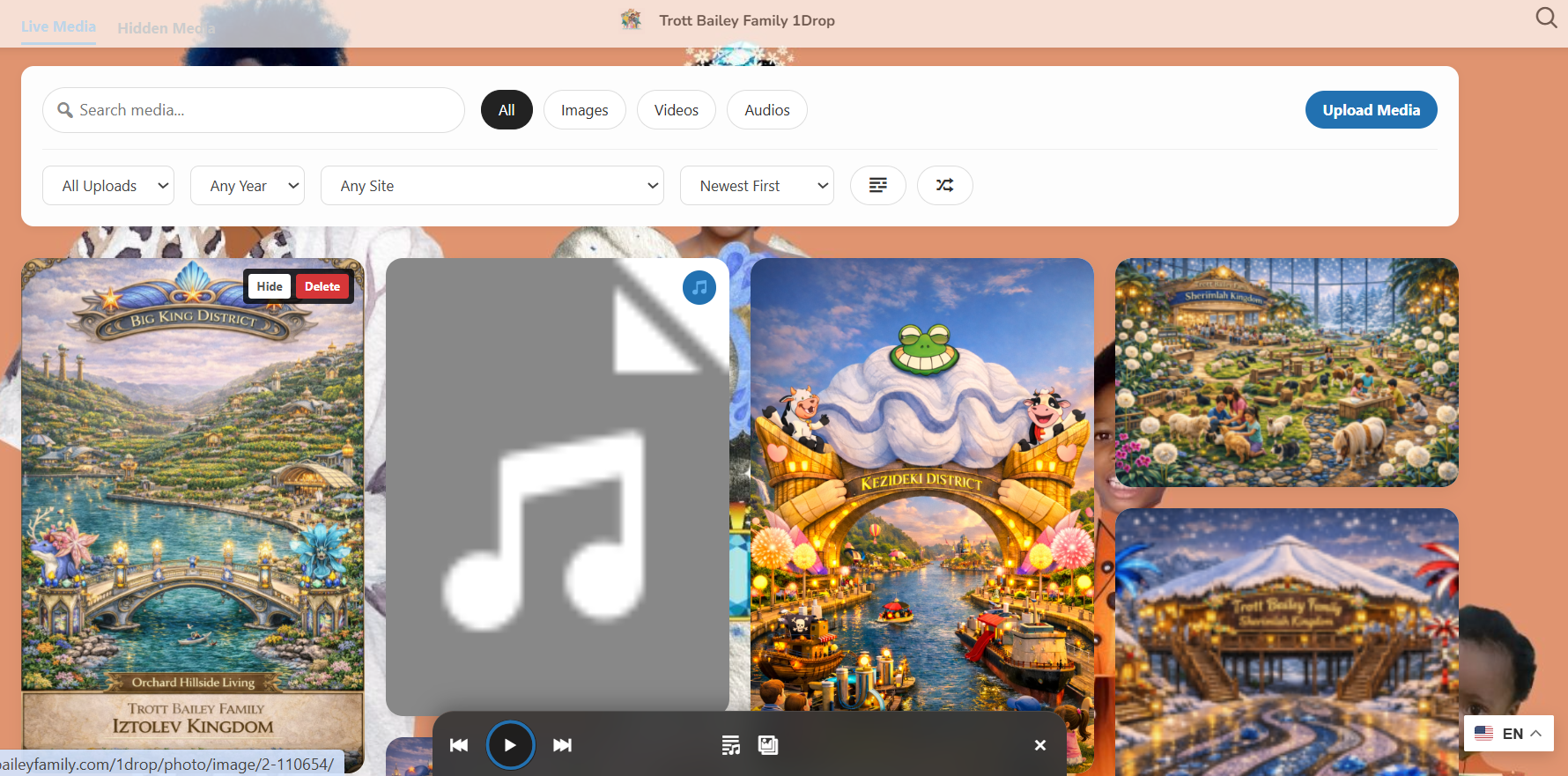
Total control, anywhere. Admins can hide or delete media directly from the frontend if they spot something out of place. It’s “live” management that keeps your network clean without requiring you to dive back into the backend every time.
9. Media SEO Panel
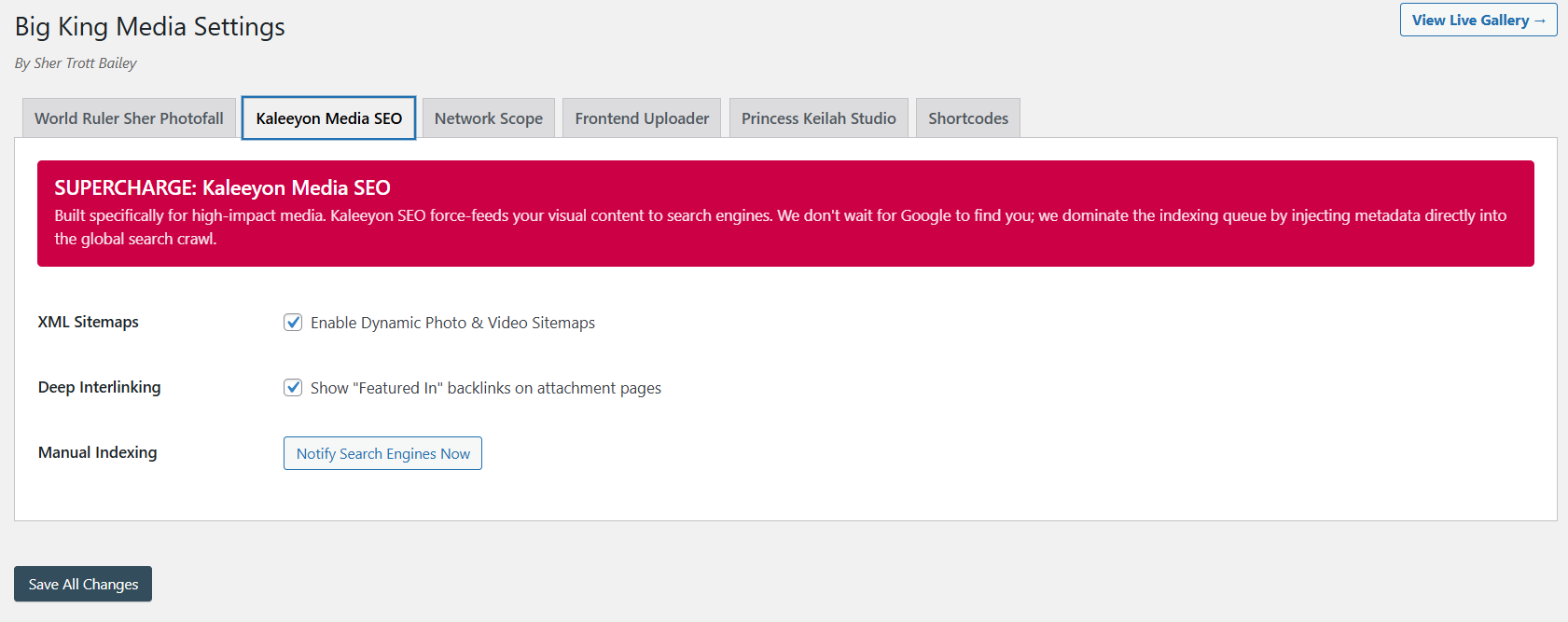
This is the most “unbiased” professional feature in the suite. The **Media SEO Panel** provides tools for interlinking metadata across sites. It solves the massive problem of media visibility and ensures that search engines recognize your assets as authoritative, no matter which subsite they appear on.
10. Thumbnail and Metadata Tools
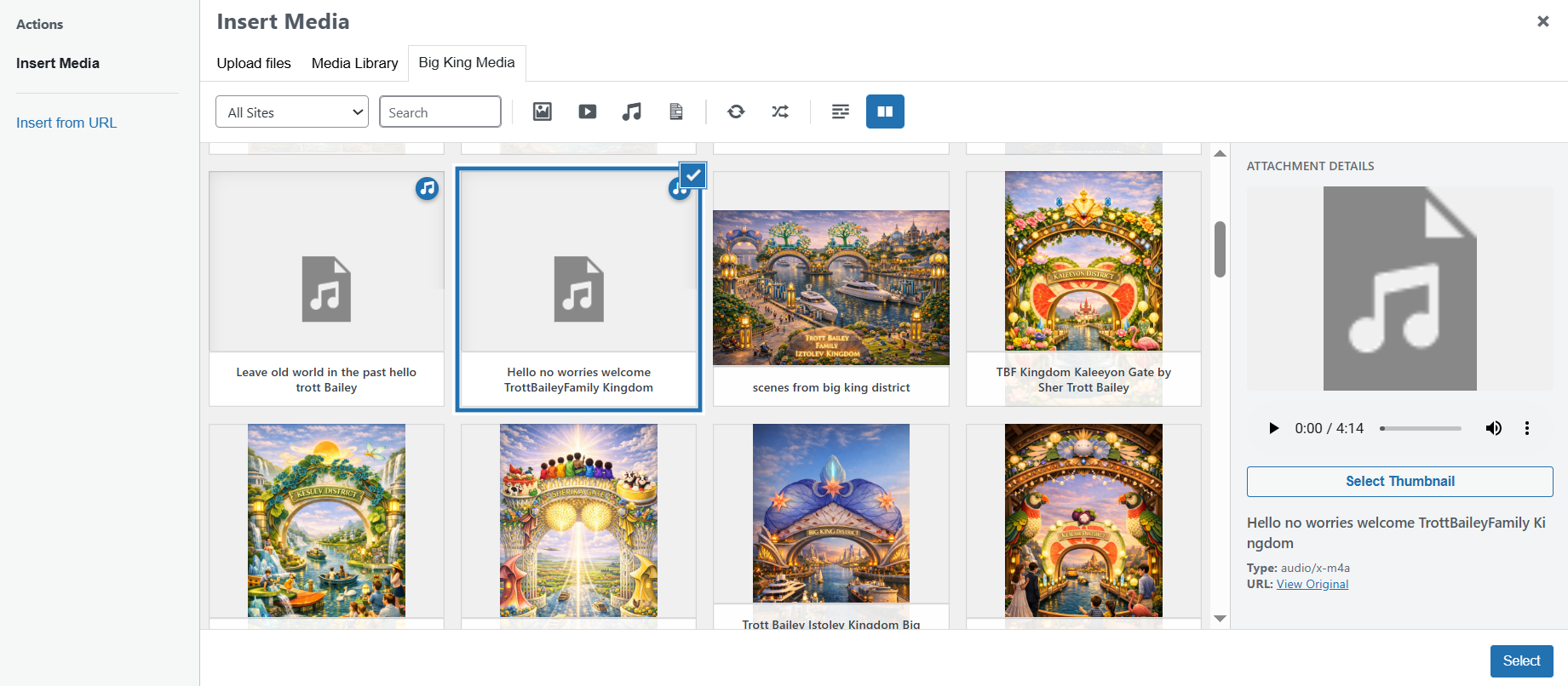
WordPress is notorious for poor video/audio metadata management. This tool allows you to assign custom thumbnails to MP3s and MP4s and manage their metadata directly. It turns simple files into professional media assets.
Part III: The Multimedia Studio Experience
11. Photofall Gallery Settings

Stop using third-party gallery plugins. **Photofall** is built natively into Big King Media. It provides the Pinterest-style masonry logic needed to display shared network media beautifully. It supports images, video, and audio thumbnails with ease.
12. Responsive Masonry Grid Output
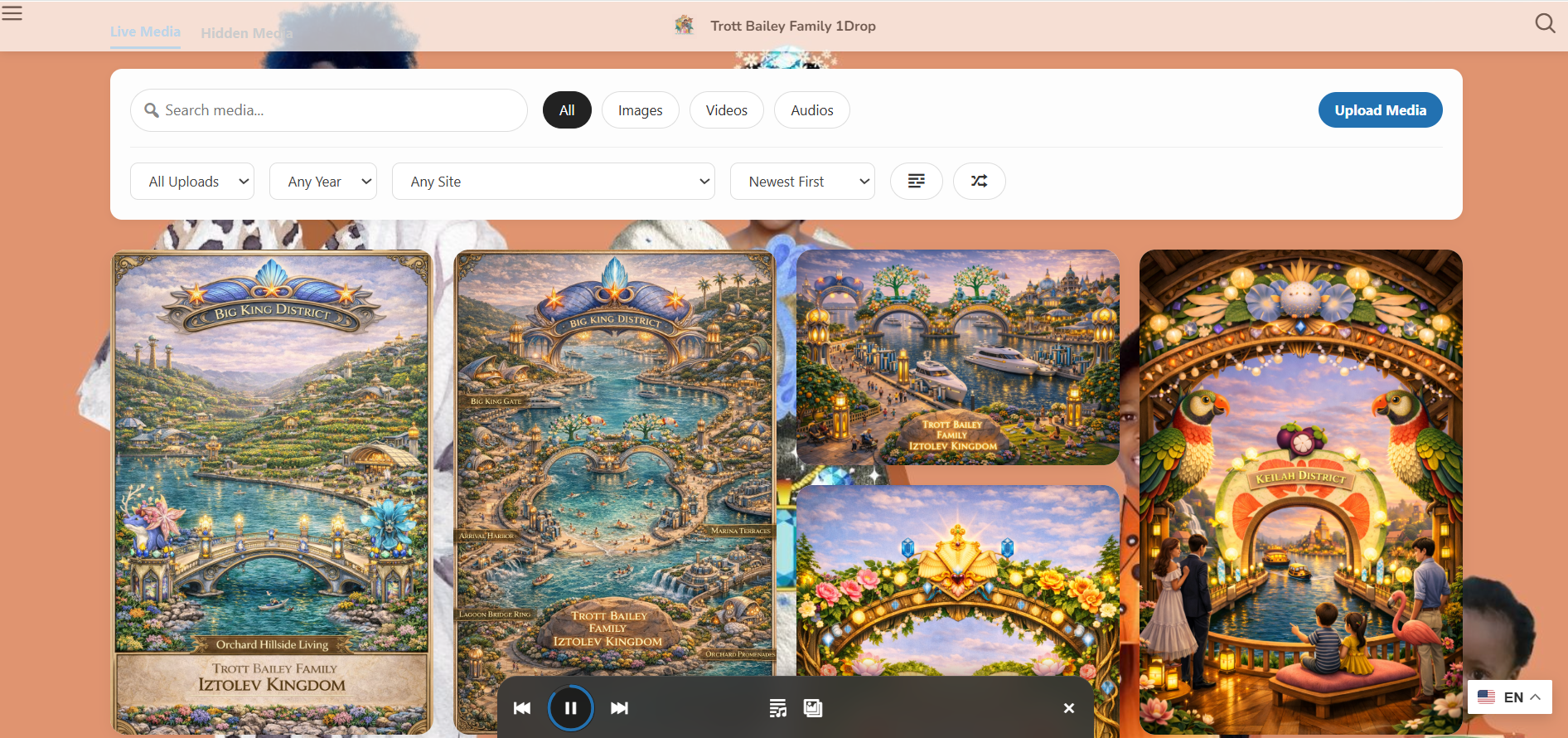
The result of the Photofall engine: a high-speed, fully responsive masonry grid that loads network-wide assets in a sleek, professional layout. It is optimized for mobile performance and visual impact.
13. Interactive Network Lightbox
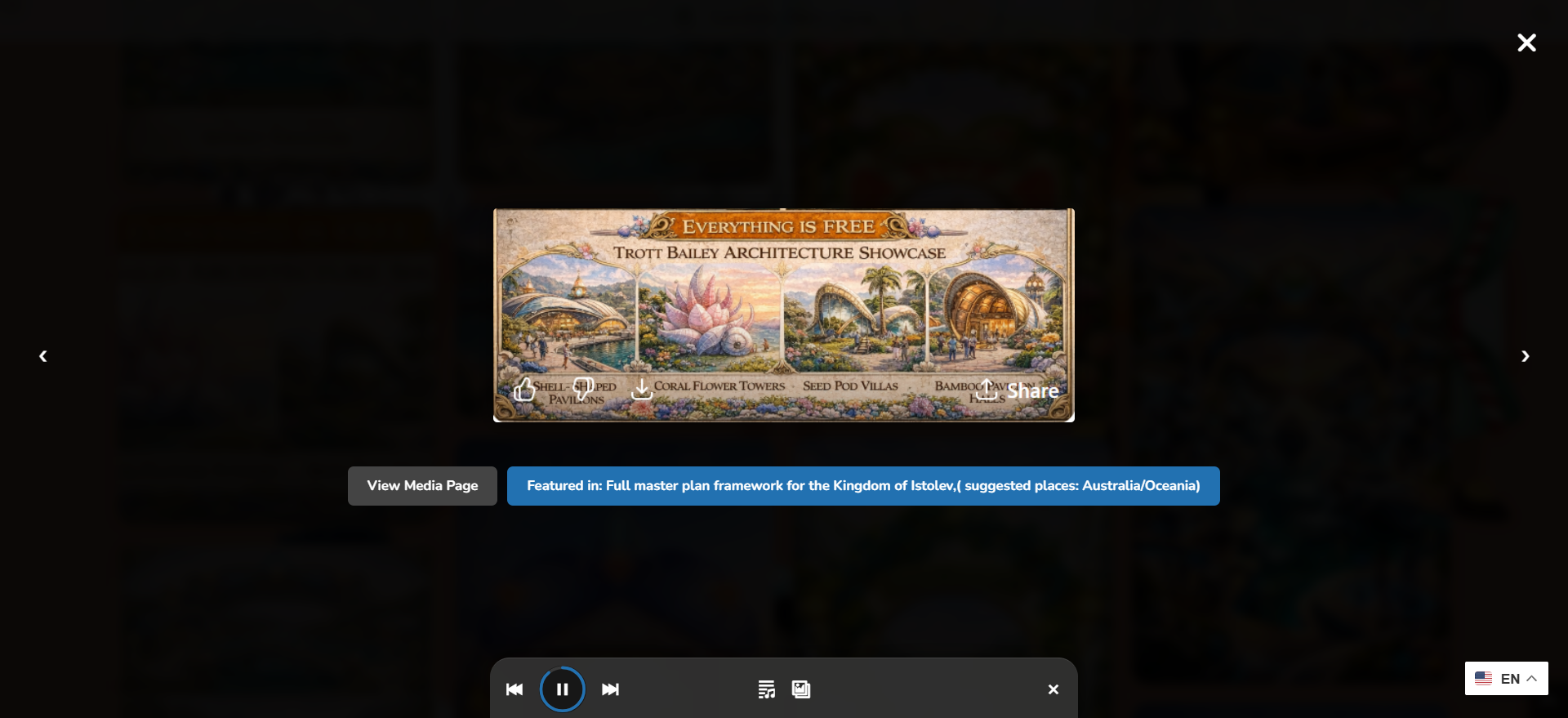
When users click on an image, video, or audio file, they aren’t navigated away. The sleek **Interactive Lightbox** provides instant loading and a beautiful display area for your entire shared library.
14. Princess Keilah Studio: Floating Player
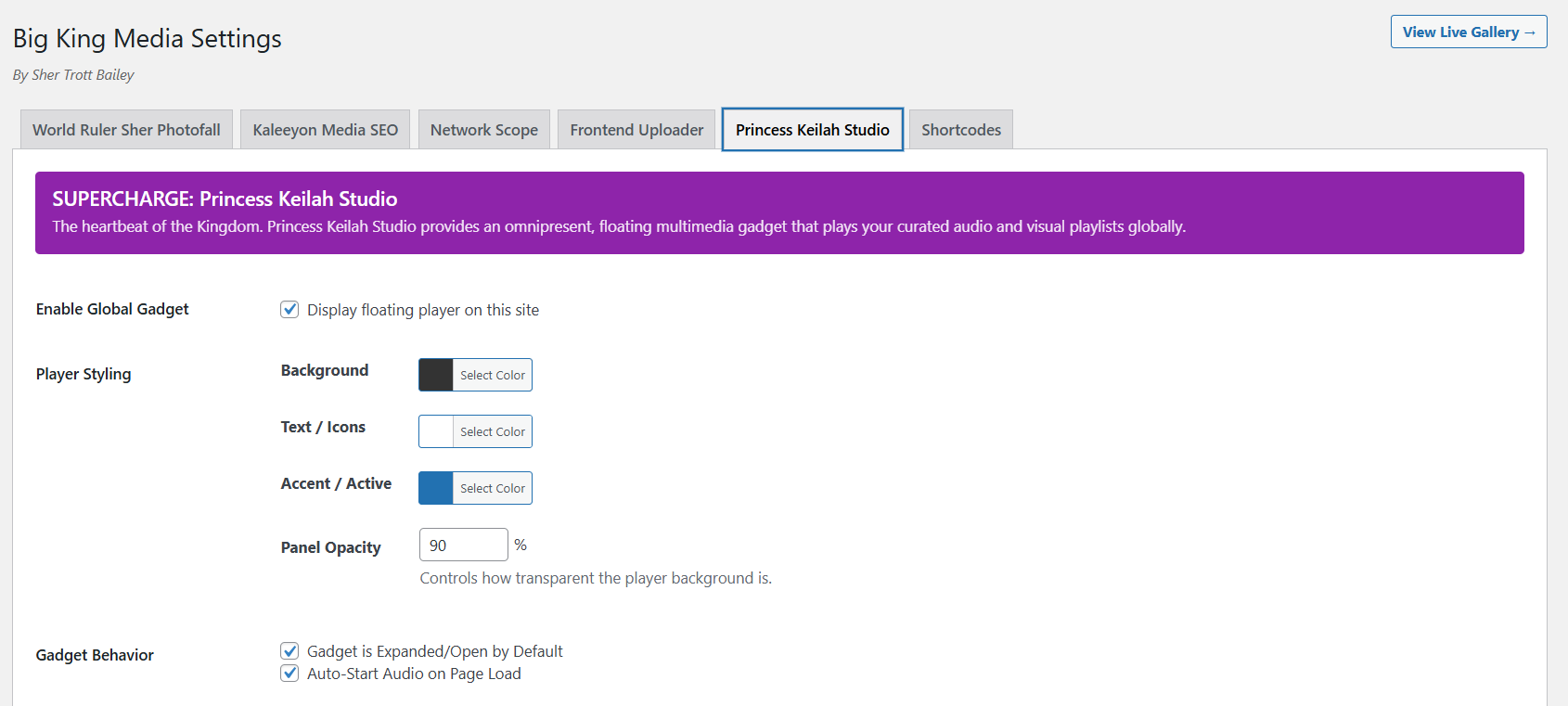
This is the jewel of the collection. **Princess Keilah Studio** is a floating audio player that supports rich playlists and synchronized slideshows. It follows the user across the page, providing a professional studio-grade experience for podcasts, music, or storytelling.
15. Integrated Studio Mode
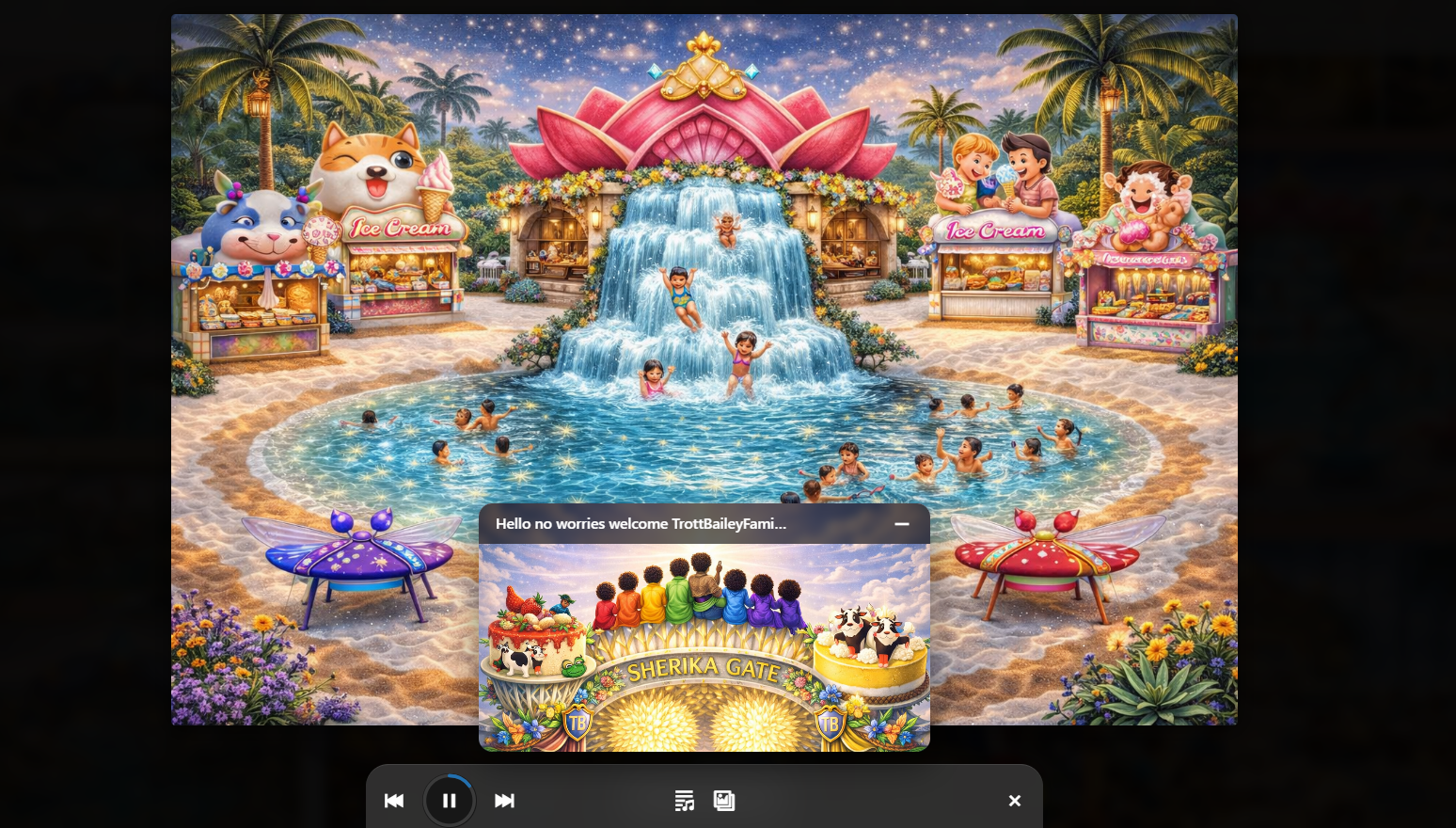
Why choose between a player and a gallery? **Integrated Studio Mode** combines audio playback with an automated slideshow. It turns your website into an immersive experience for families and visitors, perfectly aligned with the AgriGames philosophy of delight.
16. Playlist and Slideshow Creator
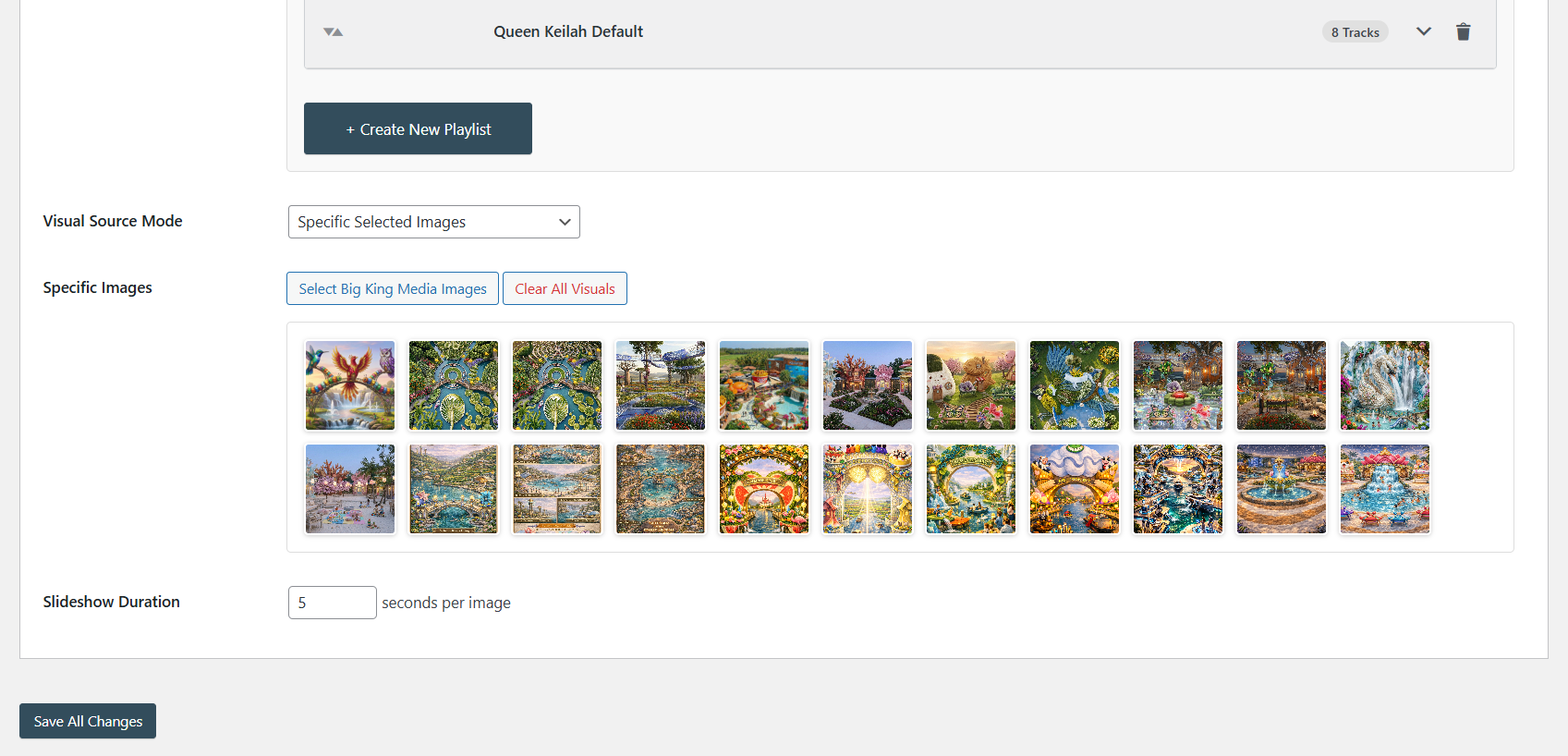
A simple, powerful UI to curate playlists and sync them with image sequences. This allows admins to create unique “experiences” on their site without touching a line of code.
17. Audio-Focused Floating Player (Minimal Mode)
For cleaner designs, the **Minimal UI mode** offers an audio-focused player that stays out of the way. Perfect for background music or long-form podcasts.
18. Compact Player Mode (Floating Play Button)
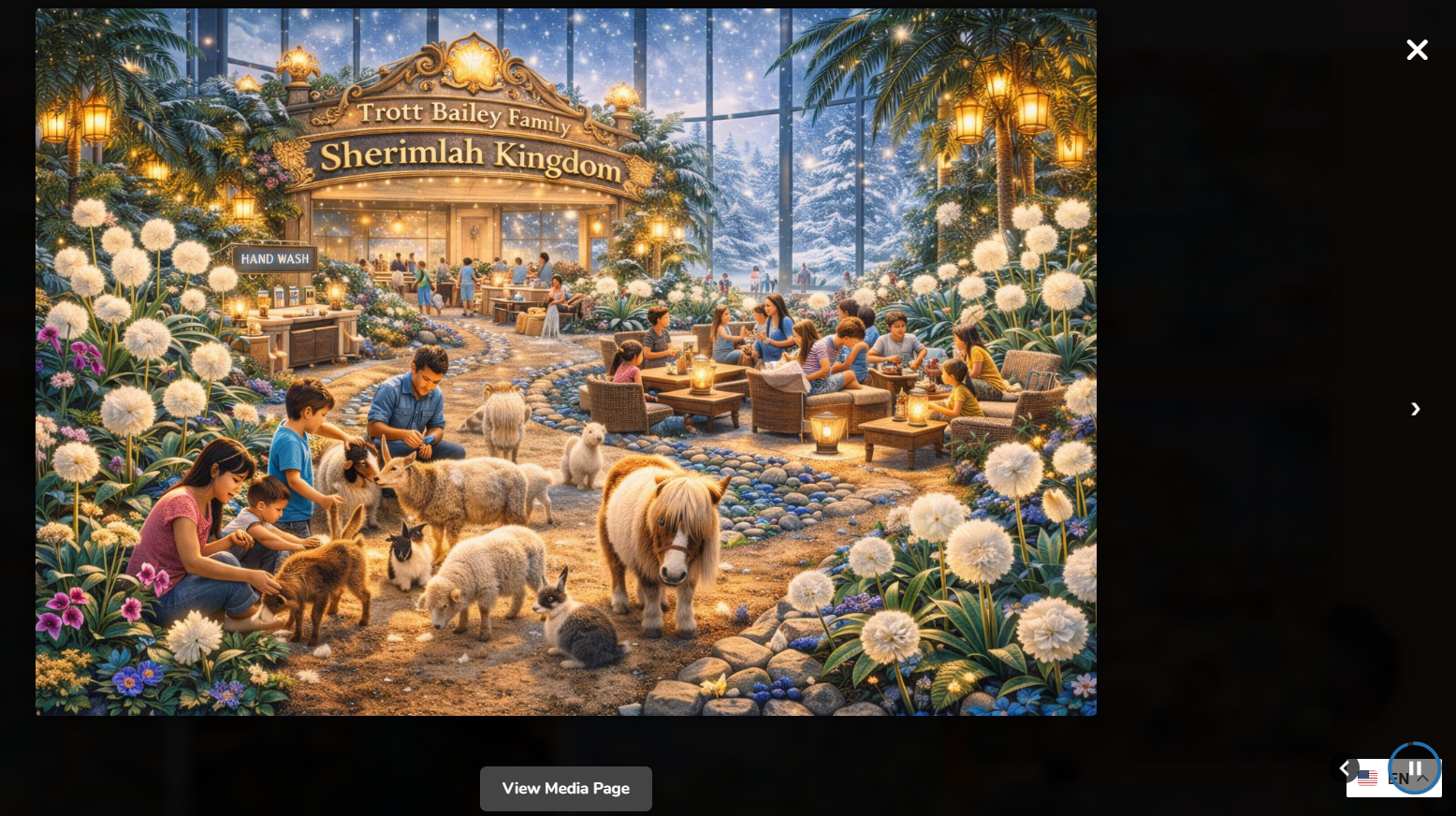
A simple, floating play button for lightweight playback. It is high-utility and low-profile, perfect for quick audio previews or subtle background audio cues.
19. Shortcode Management & Add Anywhere
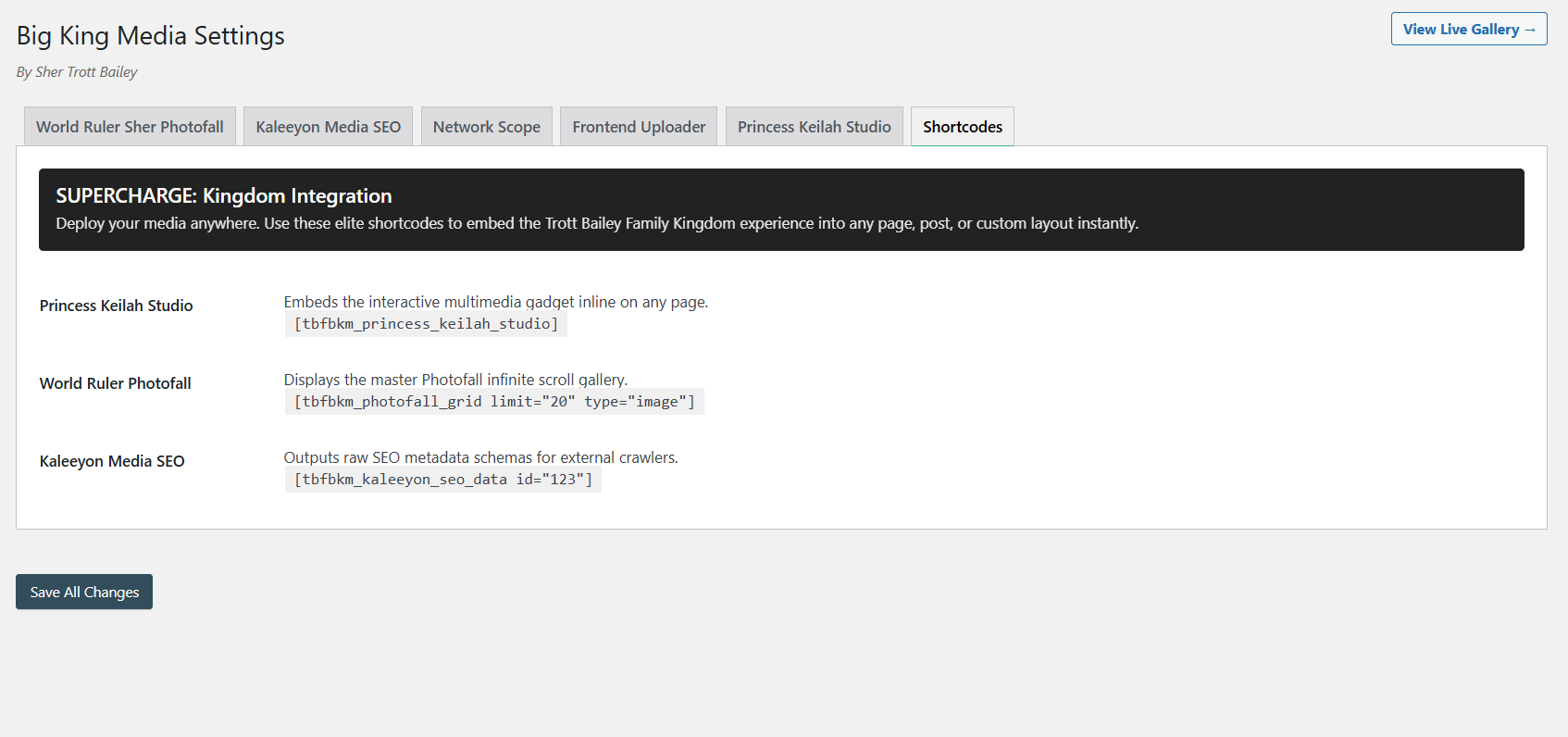
Every feature—the studio, the masonry grid, the uploader—can be deployed via shortcodes. This makes the plugin compatible with every page builder and every theme on the market. You are not locked into one design; you have total freedom.
Part IV: Competitor Analysis
To provide a truly unbiased review, we must look at how other paid solutions compare. While Big King Media is free, it is competing against tools that cost significantly more.
Rudrastyh Multisite Shared Media Library
A polished, professional product focused on the native backend experience. It is high quality, but it is **costly**. It doesn’t offer the studio, the masonry, or the frontend tools found in Big King Media.


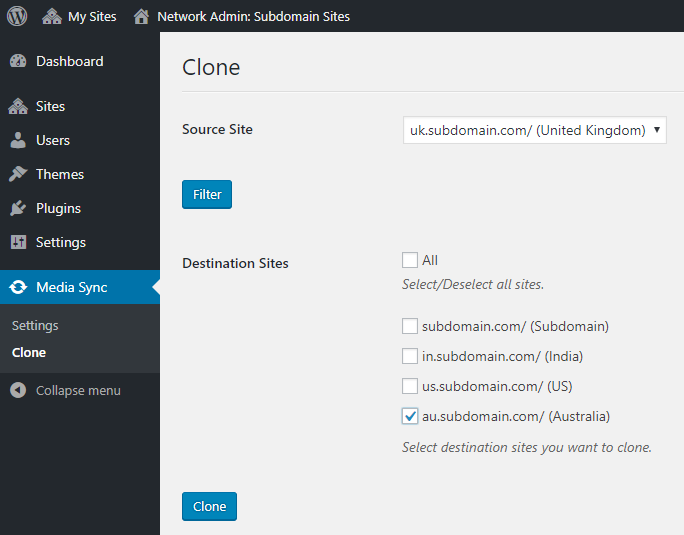
CodeCanyon: Multisite Media Sync
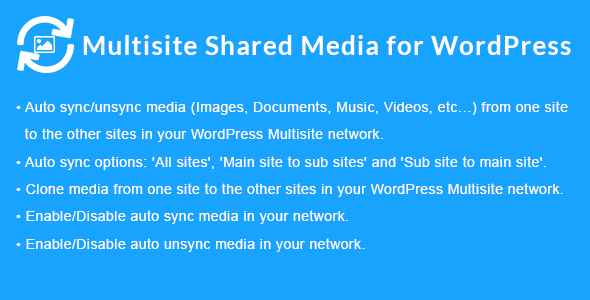
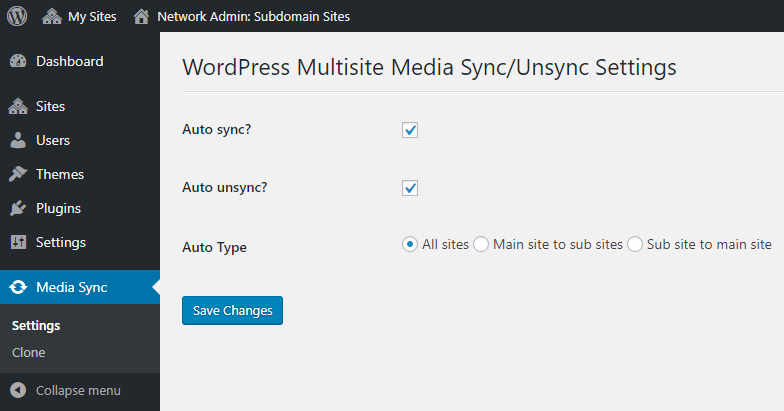
This is a specialist tool for **cloning files**. It does not share a virtual folder; it physically pushes files from one server directory to another. It fills a different niche—if you need physical duplicates, this is your choice.
Central Media Library

A basic open-source utility for rerouting paths. It is free but lacks the UI and powerhouse feature set of Big King Media.
Wiki Comparison Matrix
| Technical Capability | TBF Big King Media (v7.0.1) | Rudrastyh | CodeCanyon Sync |
|---|---|---|---|
| Virtual Sharing (Storage Saving) | ✔ | ✔ | ✘ (Clones) |
| AJAX Global Indexer | ✔ | ✘ | ✘ |
| Frontend Uploader & Management | ✔ | ✘ | ✘ |
| Built-in Audio/Video Studio | ✔ | ✘ | ✘ |
| Pinterest Masonry Galleries | ✔ | ✘ | ✘ |
| Total Cost (Annual) | $0 (Free Forever) | ~$100+ (Recurring) | ~$30+ (Paid) |
The Masterclass
Ready to see the technology in action? This 28-minute masterclass covers everything from the initial AJAX index to the deployment of the Princess Keilah Studio across a multisite network.
Final Reviewer Verdict
As a software reviewer, it is rare to see enterprise-grade code shared with the world for free. **TBF Big King Media** is a powerhouse. It doesn’t just “share media”; it transforms how a WordPress Multisite network functions. From the storage savings of virtual sharing to the sheer beauty of the masonry grids and studio players, this plugin is worth $500/year—but it won’t cost you a cent.
If you are managing more than two sites, this isn’t just a suggestion. It is an essential piece of infrastructure.








 and then