Architecture Page • Big King Media Technical Architecture
The Technical Architecture Behind Big King Media.
Big King Media is not a single-purpose gallery plugin, folder plugin, upload plugin, video player, or SEO add-on. It is a WordPress Media Operating System built from connected layers: shared media, indexing, frontend upload, media governance, Photofall presentation, lightbox viewing, creative studio workflows, AI metadata, featured media, and multisite orchestration.
The architecture grew from a real problem: the Trott Bailey Family needed to manage media across a serious WordPress network without drowning in duplication, scattered uploads, broken discovery, weak presentation, and disconnected plugins. The 7.0 generation was developed privately over years before public release, so the public product began from battle-tested internal media needs rather than a shallow demo.
This page explains how the parts fit together and why Big King Media is best understood as a media operating system instead of a media utility.
Architecture model
Big King Media works as a layered media operating system.
The power of Big King Media is not only in any single feature. The power is in how the features connect.
A standard WordPress setup treats uploads, galleries, posts, featured images, folders, media SEO, players, and multisite media as separate concerns. Big King Media ties those concerns into a connected media architecture so media can enter, be described, be organized, be reused, be governed, be displayed, be played, and be discovered through one product direction.
The architecture principle: media should not sit as isolated files. Media should move through intake, index, organization, governance, presentation, playback, SEO, and reuse.
System flow
How media moves through Big King Media.
Big King Media is designed around a practical media lifecycle. Media enters the system, receives meaning, becomes organized, remains governable, then becomes useful through display, playback, reuse, and discovery.
Core systems
The major technical systems inside Big King Media.
Each feature is useful alone, but the architecture becomes more powerful when they operate together.
Media reuse across WordPress networks
Big King Media preserves its shared media DNA for multisite networks that need media access without ordinary duplication pressure.
The media-first public surface
Photofall displays images, videos, audio, posts, music videos, featured media, and curated groups as a public browsing layer.
Posts and media in one discovery layer
Single sites can surface site posts; multisite networks can pull selected network posts into Photofall with lightbox reading and source navigation.
Media contribution without wp-admin
Trusted users can submit media from the front end with stronger intake context.
Organization as infrastructure
Folders help media remain usable by project, event, release, school, ministry, agency, campaign, archive, or creator workflow.
Govern what appears publicly
Media can be hidden, restored, reviewed, and controlled without treating delete as the only public-safety mechanism.
Beyond one static featured image
Posts can use featured images, featured videos, featured slideshows, and featured music videos that feed richer Photofall cards.
The creative performance layer
Audio, playlists, slideshow visuals, video clips, and music-video sequences become WordPress-native release experiences.
Metadata, accessibility, and search value
AI alt text and media SEO make media more findable, more accessible, and more meaningful inside the stack.
Live scale proof
The architecture is already running in public.
Big King Media is not merely a diagram. Photofall is already operating as a real public media surface.
Visitors can see Photofall in action at TrottBaileyFamily.com/1drop, where the public media experience is approaching 100,000 media files. That live proof matters because architecture is strongest when it survives real content volume, real browsing, and real media diversity.
Proof point: Big King Media’s architecture is designed for media volume, media variety, and public media browsing — not only admin-screen tidiness.
Visual proof
The architecture shows through the product surfaces.
These product surfaces show how the architecture connects the back-end library, shared media, public browsing, uploads, studio workflows, and SEO.

Shared Media Layer
Network-aware discovery and reuse support the original multisite media mission.
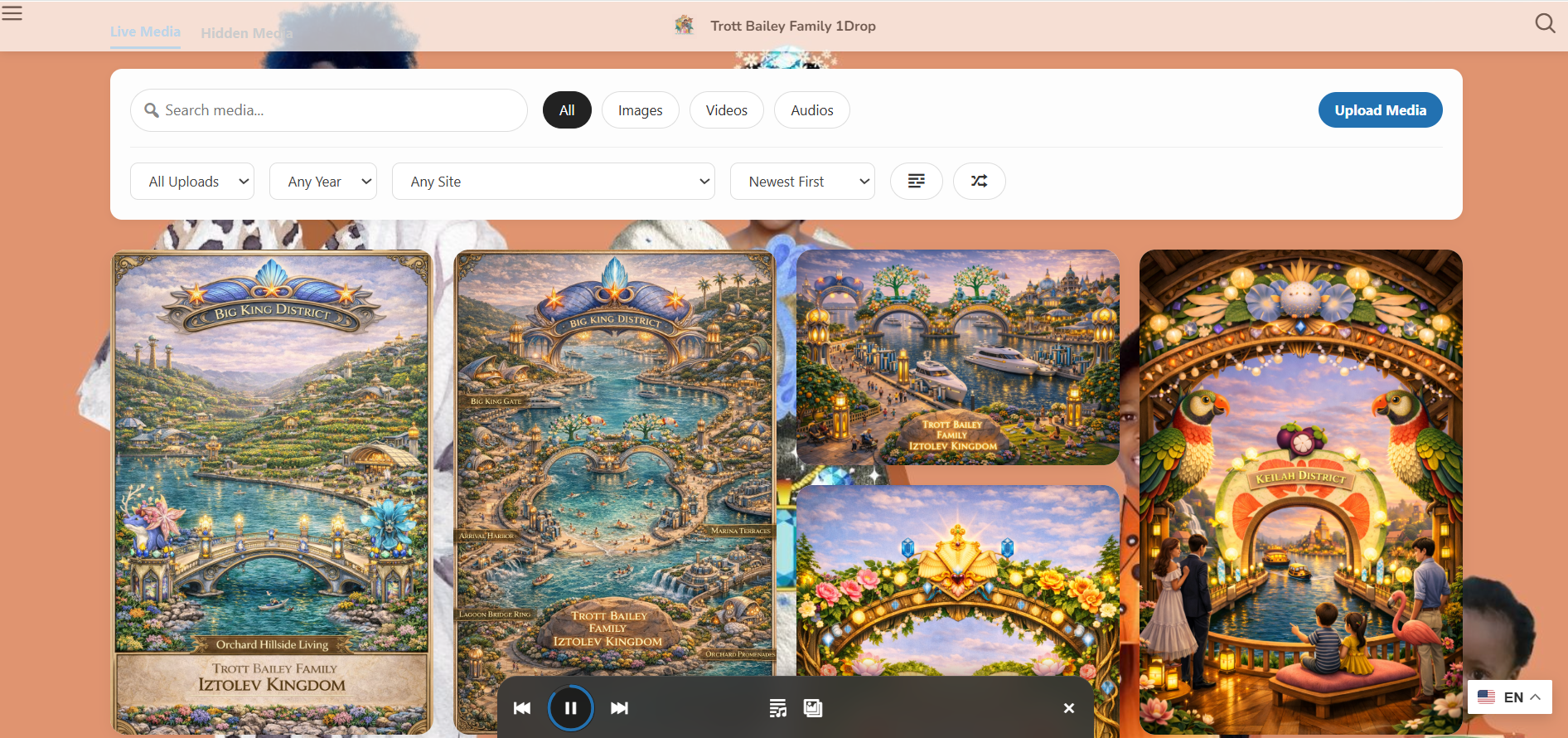
Photofall Layer
The public browsing surface turns media infrastructure into a user-facing experience.
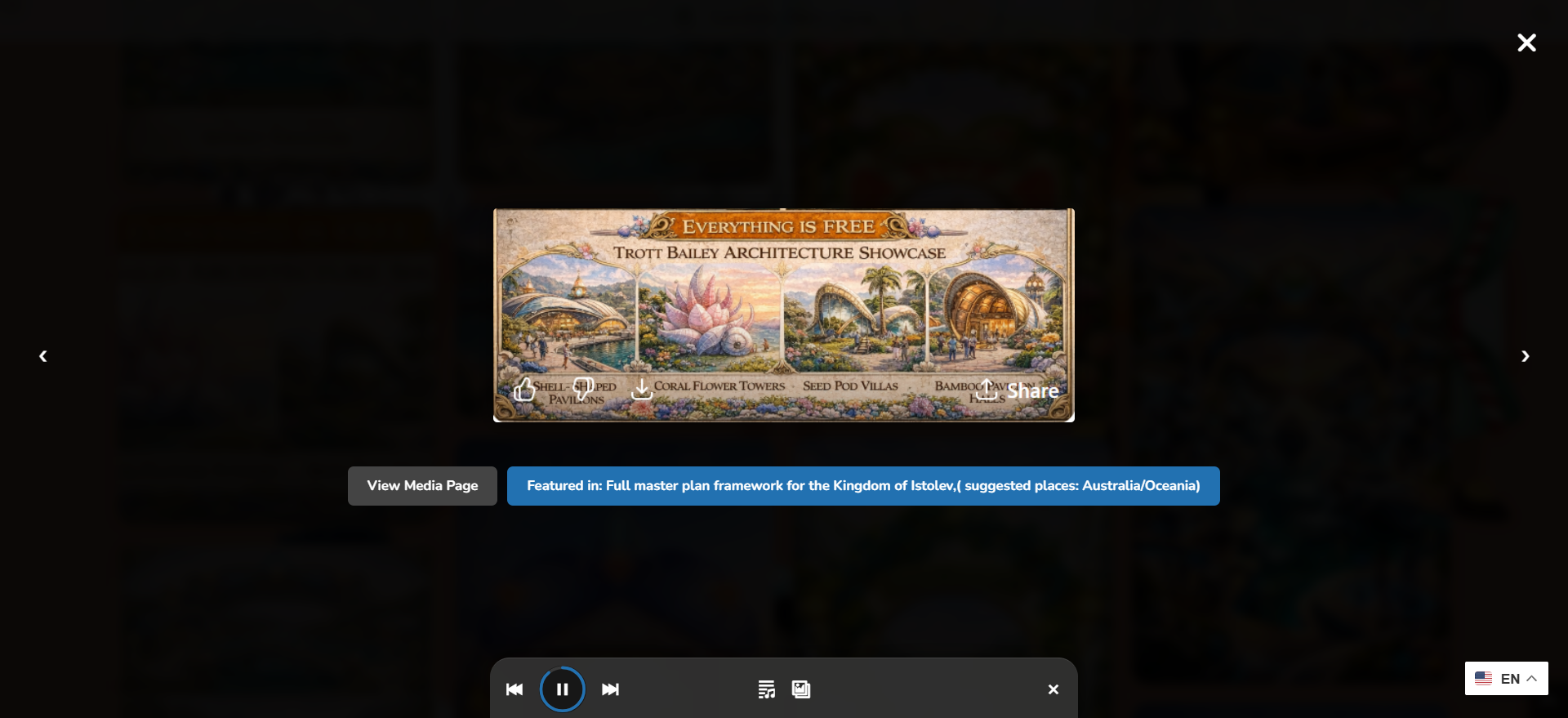
Lightbox Layer
Images, video, audio, posts, and groups open without breaking the browsing flow.
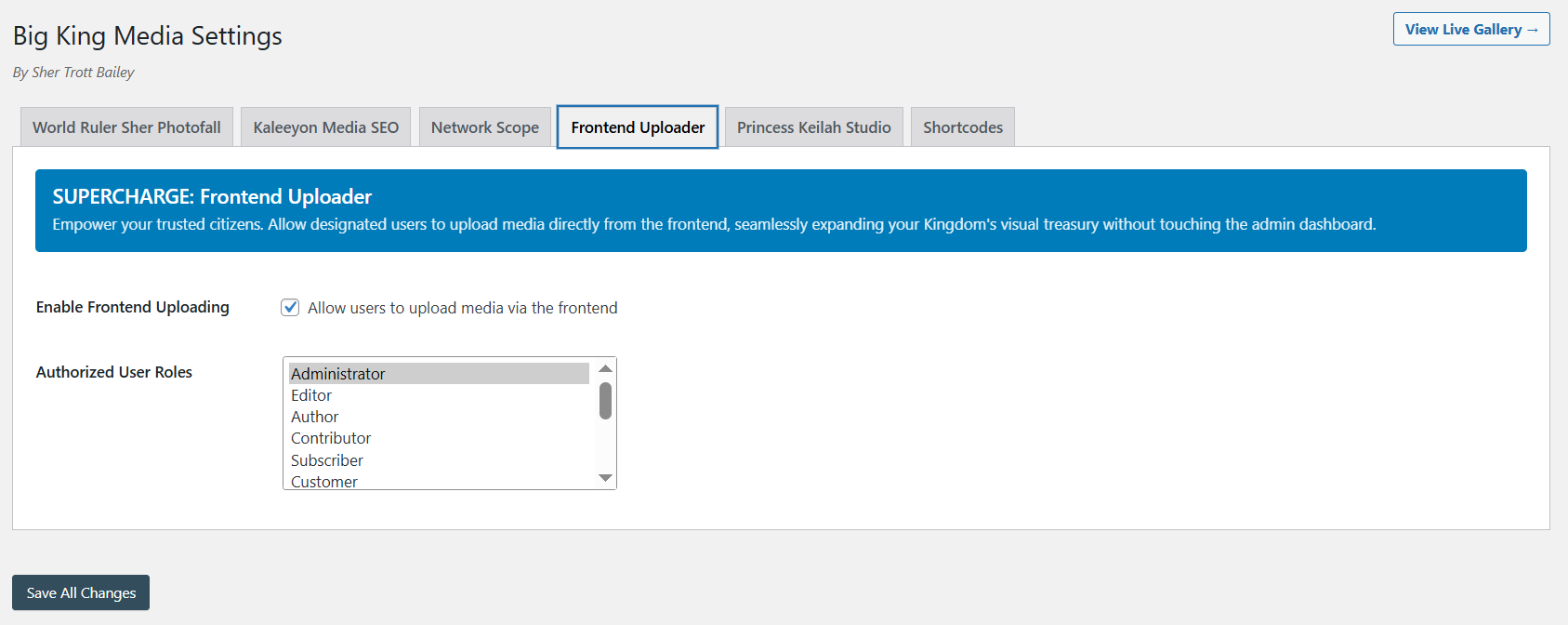
Upload Layer
Media enters with title, alt text, contributor context, and folder direction.
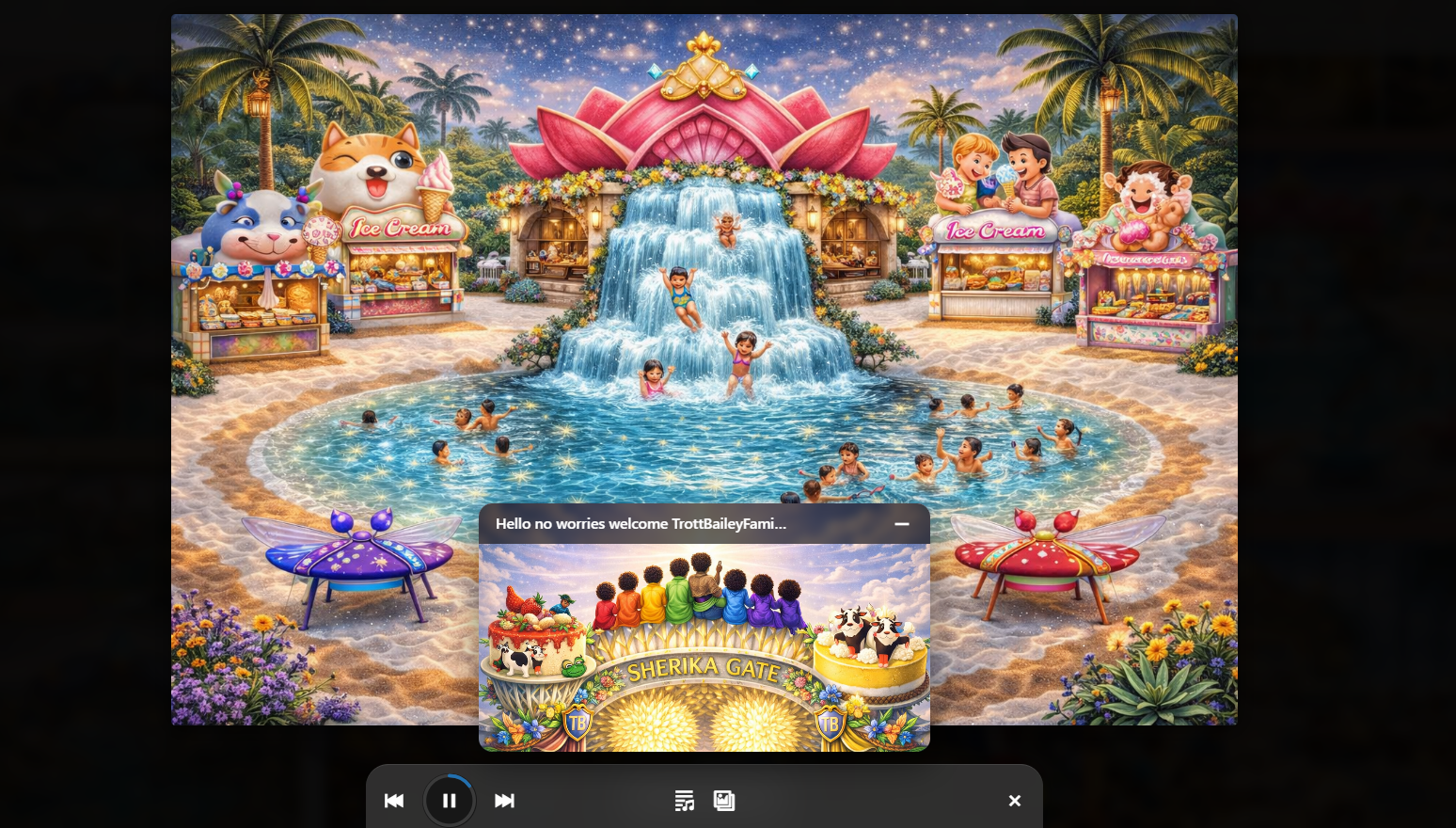
Creative Studio Layer
Audio, playlists, slideshows, and music videos become part of the operating system.
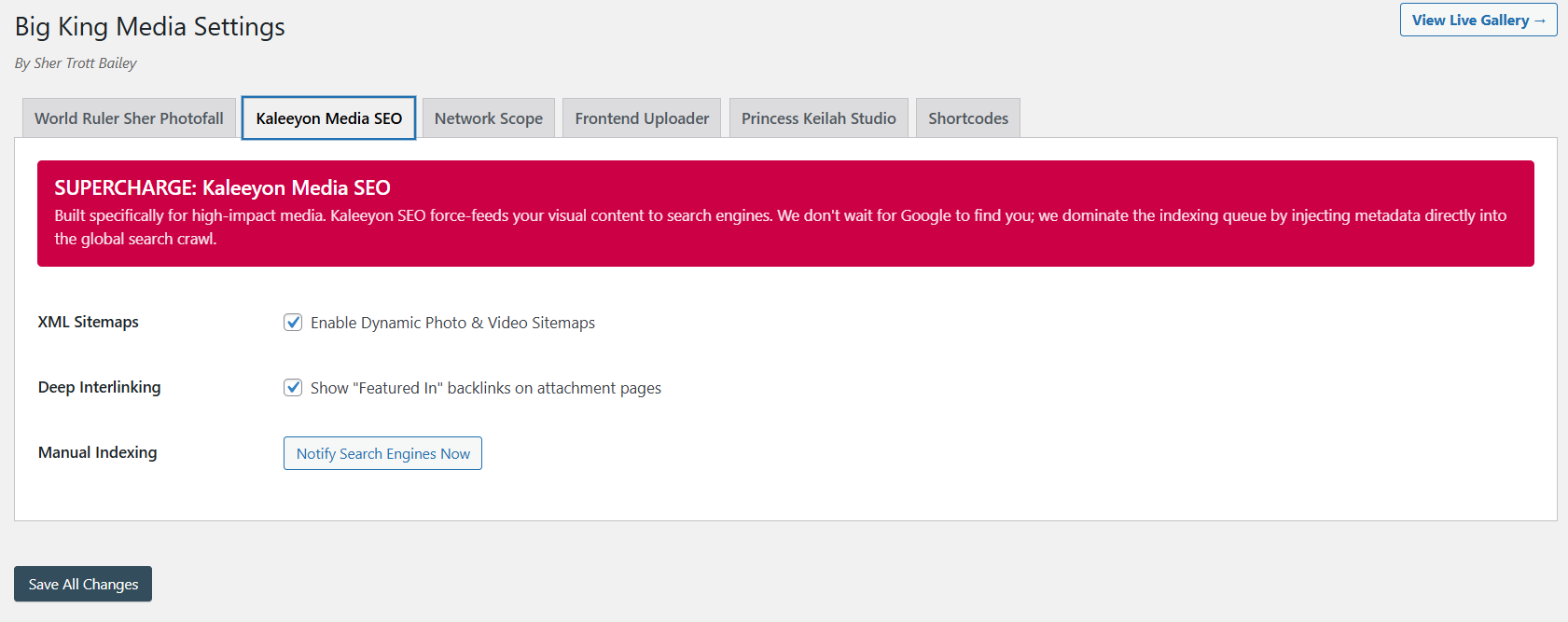
Metadata + SEO Layer
Media becomes findable, meaningful, accessible, and connected to search value.
Product proof videos
See the architecture in motion.
The self-hosted product videos are loaded in portrait frames with metadata-only preload. They do not autoplay, but visitors can play each proof video when they are ready. The Vimeo Masterclass remains the only landscape video embed.
Post Orchestration
Posts can become part of the media browsing architecture instead of staying isolated from the media layer.
World Within World
Curated media groups that open into deeper media experiences.
Music Video Maker
Audio, images, and video clips become a WordPress-native media release experience.
Ultimate Media Engine
The broader media operating system direction in motion.
Big King Media Masterclass
The Masterclass gives visitors the full product context.
Architecture table
What each layer does.
Big King Media’s architecture is easiest to understand as a connected stack. Each layer solves a real media problem, but the strongest value comes when they operate together.
| Architecture layer | What it handles | Connected Big King Media pages |
|---|---|---|
| Media Operating System | The umbrella system connecting intake, indexing, organization, visibility, display, playback, SEO, and reuse. | WordPress Media Operating System |
| Media Operating Layer | Theme-safe media infrastructure that upgrades media behavior without requiring a full theme replacement. | WordPress Media Operating Layer |
| Shared Media Layer | Network-aware media discovery, reuse, and shared-media workflows for WordPress Multisite. | Multisite Shared Media Library |
| Photofall Layer | Public media browsing for images, video, audio, posts, music videos, featured media, and groups. | Photofall Gallery |
| Post Orchestration Layer | Post cards, featured media, single-site posts, multisite selected-source posts, lightbox reading, and source navigation. | Post Orchestration |
| Upload Layer | Frontend media contribution with title, alt text, folder direction, and contributor context. | Frontend Media Uploads |
| Folder Layer | Media organization by project, event, release, lesson, campaign, archive, client, or workflow. | WordPress Media Folders |
| Visibility Layer | Hidden media, restore paths, public display control, and governance over what appears in front-end experiences. | Media Visibility Controls |
| Creative Studio Layer | Audio playback, playlists, slideshow visuals, video clips, and music-video release experiences. | Princess Keilah Studio |
| SEO + AI Layer | Alt text, titles, media descriptions, metadata, search value, accessibility, and image/media SEO. | AI Alt Text / Media SEO |
Conclusion
Big King Media is architecture, not plugin sprawl.
The technical value of Big King Media is not that it imitates every media plugin category. The value is that it connects the media jobs WordPress sites usually scatter across galleries, folders, uploaders, players, lightboxes, SEO tools, and multisite utilities.
That is why Big King Media is best positioned as a sovereignly free WordPress Media Operating System: one connected architecture for media intake, organization, governance, display, playback, metadata, post orchestration, and reuse.
Connect intake, indexing, folders, visibility, SEO, galleries, lightbox, playback, posts, and shared media.
Use Photofall as the public-facing media surface for serious media volume.
Support WordPress Multisite networks while remaining useful for ambitious single sites.
Upgrade media presentation without forcing a theme replacement.
Use Princess Keilah Studio and Kaleeyon AI as product layers, not disconnected add-ons.
Build a media operating system instead of a fragile media plugin pile.
FAQ
Big King Media architecture questions.
These answers support searches around Big King Media technical architecture, WordPress Media Operating System architecture, media operating layer, shared media architecture, and WordPress Multisite media orchestration.
What is the technical architecture of Big King Media?
Big King Media is built as a layered WordPress Media Operating System connecting media intake, indexing, organization, visibility controls, shared media, Photofall galleries, lightbox viewing, featured media, post orchestration, audio, video, music-video workflows, AI alt text, and media SEO.
Why is Big King Media more than a normal WordPress media plugin?
Most media plugins solve one category, such as galleries, folders, upload forms, players, or SEO. Big King Media connects those media jobs into one operating system so media can be uploaded, organized, governed, reused, displayed, played, and discovered through one product direction.
Does Big King Media still support WordPress Multisite shared media?
Yes. Big King Media still carries strong multisite shared-media DNA while expanding into Photofall, post orchestration, frontend uploads, folders, visibility controls, media SEO, and creative media workflows.
What is Photofall in the architecture?
Photofall is the public media presentation layer of Big King Media. It turns media, posts, featured media, video, audio, music videos, and groups into a media-first browsing experience.
Can Big King Media be used without changing the WordPress theme?
Yes. Big King Media works as a theme-safe media operating layer through Photofall, shortcodes, players, galleries, uploaders, and media presentation surfaces that can upgrade a site without forcing a full theme replacement.
Can I see the architecture working at scale?
Yes. Photofall can be seen in action at TrottBaileyFamily.com/1drop, where the public media experience is approaching 100,000 media files.

 and then